The script reads fine on paper. Then the video comes back and the first line flies past, or the middle drags. By then you've paid for the video.
Pace is easy to fix in audio and expensive to fix in video. So get it right by ear first. It takes five steps:
Why you shouldn't skip this step+
1. Turn your script table into a voice prompt
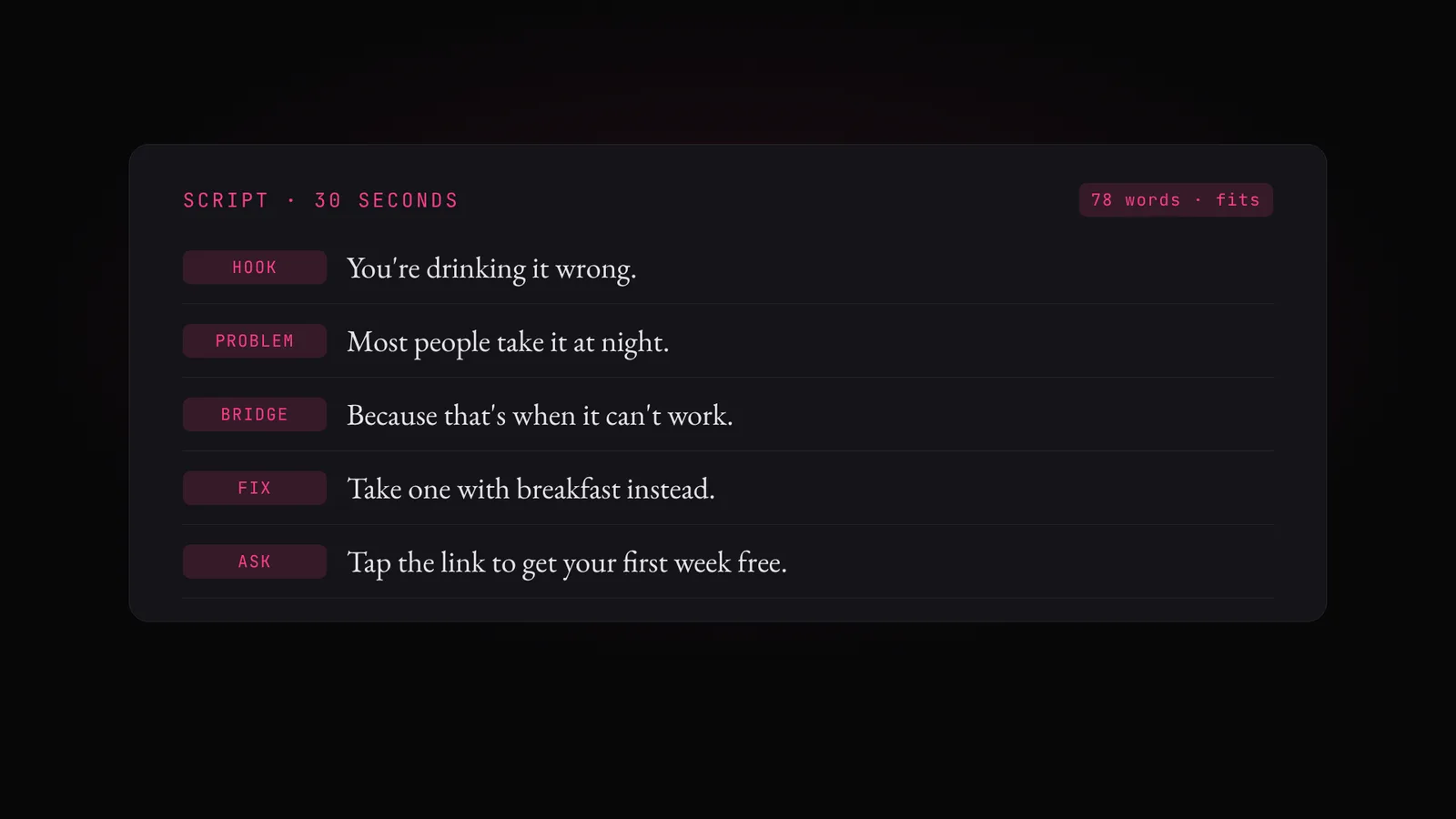
Start from the table you made in the script lesson. Paste it into Claude or ChatGPT with the prompt below, and you get a ready-to-paste prompt for your voice tool, with each line's emotion and pauses carried across.
| Voice tool | How the emotion goes in | Where to use it |
|---|---|---|
| Gemini 3.8 Flash text-to-speech | Notes under DIRECTOR'S NOTES, only the lines under SCRIPT | Google AI Studio (free) or the Gemini text-to-speech app on OpenDirector |
| ElevenLabs v3 | A tag before each line, like [warm] or [excited], and "..." for a pause | ElevenLabs, with a voice you pick from its library |
Turn my script table into a voice prompt for [Gemini 3.8 Flash text-to-speech / ElevenLabs v3].

Script table: [paste the table from the script prompt]
Voice: [who is speaking: age, gender, where they're from]
Accent: [Indian English / American / British / Hindi]

Rules:
- Use only the Line column as spoken text. Never include times, jobs, SPS or visual cues.
- Carry each line's emotion and pace from the Speaker column, and every <Pause> mark.
- Keep numbers, symbols and acronyms written as words, exactly as in the table.

For Gemini 3.8 Flash text-to-speech, use exactly this layout:
### DIRECTOR'S NOTES (do not read these aloud)
The voice, the accent and the overall tone, then the emotion and pace line by line, then "Do not rush."
### SCRIPT (read only this)
The lines, one per line, nothing else.

For ElevenLabs v3:
- Only the lines, one per line, each starting with its emotion as a tag in square brackets, like [warm], [excited] or [whispers].
- Pauses as "..." inside the line.
- Above the prompt, one line describing the voice, so I can pick it in the voice library.

Print the prompt in one block, ready to paste.
2. Generate the audio
Copy the voice prompt Claude or ChatGPT gave you. Open a text-to-speech app: the Gemini text-to-speech app on OpenDirector, Google AI Studio (free) or ElevenLabs. Paste the prompt, pick the voice and click Generate.
Generate one full take. Keep the same voices for every take, so you're comparing pace, not voices.
Voice: a young Indian woman talking to camera like a friend.
Emotion: conspiratorial → warm → upbeat.
Pace: natural, small pauses. Do not rush.
### SCRIPT (read only this)
You're drinking your apple cider vinegar wrong. …
3. Listen, and write down what you hear
Listen once, all the way through, with your eyes closed. With no pictures, you hear everything the visuals would hide: a rushed line, a jump, a sentence that sounds written rather than said. Here's the same 15-second script, voiced twice:
The natural take sits at 6.0 SPS, right for talking to camera. Squeeze the same words into a 10-second slot and it jumps to 7.8: the hook is gone before it lands.
As you listen, write down the time of every spot that feels fast or slow. Then listen once more for the pace across the whole video: does the middle speed up, does the end drag?
This matters most with two or more characters. Each one has its own voice, and voices run at different speeds, so one character can sound rushed next to the other even when both lines look fine on paper. Note that too.
0:04–0:07 · the hook feels rushed
0:12 to the end · drags a little
Character B · faster than Character A all the way through
4. Speed it up or down
Voice notes set the emotion, not the pace. Asking Gemini for a "very fast, rushed" read barely moved it (6.2 SPS against 6.0). So change the speed of the audio itself. Try it on the natural take:
Now fix it with your notes. Upload the audio to Claude, ChatGPT or OpenDirector, paste the prompt below with your notes, and it gives you back the final audio, plus a list of what it changed. You'll need that list in step 5.
I've attached the voice take for my ad, and my notes from listening to it.

My notes (times in the take):
[for example:
0:04–0:07 feels rushed: slow it down
0:12 to the end drags: speed it up
Character B sounds faster than Character A all the way through: slow B down a little]

Change the speed of the audio to fix each note:
- Keep the pitch, so it still sounds like the same person (use a tempo change, like ffmpeg atempo, never a plain speed-up).
- Avoid big jumps: a voice pushed much faster or slower starts to sound weird. Up to about 20–30% is usually fine. If a note needs more, tell me, and say whether a different voice or a change to the voice prompt would fix it better.
- Join the parts back without clicks or gaps, and keep the pauses between lines.

Give me the final audio file, and a list of what you changed: start and end time, and the speed, for each stretch.
Prefer to do it yourself? Any tool that keeps the pitch works: the speed setting in CapCut, Audacity's Change Tempo, or ffmpeg's atempo.
Either way, avoid big jumps. Push a voice too fast or too slow and it starts to sound weird. Up to about 20–30% is usually fine. If it needs more than that, speed isn't the real fix: pick a different voice, or update the voice prompt (a calmer or livelier delivery) and generate again.
What you're aiming for:
| Kind of video | Target SPS | Feels |
|---|---|---|
| Explainer, course, brand film | 4.5 to 5.5 | Calm and clear |
| UGC, testimonial, talking to camera | about 6 | A real person chatting |
| Energetic promo or hook | 6.5 to 7 | Quick but clear |
| Any video | over 7.5 | Too fast. Cut words. |
Don't flatten it to one number. These targets are for the ad as a whole. An ad where every line runs at exactly the same pace sounds flat. The weighty line should slow down, and the excited one should lift.
5. Update the script to the new timing
A new speed moves every line, and the video gets cut to those times. So update the script before you make any video. Paste your table and the list of changes from step 4 into Claude or ChatGPT:
Here is my script table and the final audio I've locked.

Script table: [paste it]
Speed changes: [paste the list of changes from step 4, for example "4.0–7.0s at 0.9x, 12.0s to the end at 1.1x", or one speed for the whole take]
Length of the final audio: [seconds]

Update the table to the new timing:
- For each changed stretch, divide its times by its speed (1.1x faster means divided by 1.1), then shift every later line by the time gained or lost.
- Recompute each line's SPS and the average, and check the total matches the length of the final audio.
- Flag any line now over 7.5 SPS or under 4.5 SPS, and any stretch where every line sits at exactly the same pace.
- Keep the lines, jobs and emotions exactly as they are.

Print the updated table in the same columns.
Here's the natural take re-timed at 1.1×:
| Line | At 1.0× | At 1.1× |
|---|---|---|
| You're drinking your apple cider vinegar wrong. | 0.3–2.6s | 0.3–2.4s |
| Most people take it at night, when it can't do much. | 3.1–5.2s | 2.8–4.7s |
| Take one tablet in water before breakfast instead. | 5.6–8.2s | 5.1–7.5s |
| It tastes like green apple, not vinegar. | 8.6–10.6s | 7.8–9.6s |
| Tap the link and get your first week free. | 11.1–13.0s | 10.1–11.8s |
Try it now
- Paste your script table and the first prompt into Claude or ChatGPT, and copy out the voice prompt.
- Generate one take in Google AI Studio (free), the Gemini text-to-speech app on OpenDirector, or ElevenLabs.
- Listen with your eyes closed. Write down the times that feel fast or slow, and any character who sounds more rushed than the others.
- Upload the audio and your notes to Claude, ChatGPT or OpenDirector with the speed prompt, and keep the final audio it gives back.
- Run the re-time prompt with the list of changes, and use the new times for your screenplay.
Quick answers
What is SPS?
Syllables per second while the voice is speaking. About 6 feels natural for talking to camera.
Why syllables and not words?
Words vary in length. "Unbelievable" is one word but five syllables.
Can I just speed up the AI voice?
Yes. Up to about 20–30% faster or slower, with a tool that keeps the pitch, usually still sounds natural. Beyond that it can sound weird, so pick a different voice or update the voice prompt instead.
Gemini text-to-speech or ElevenLabs?
Gemini 3.8 Flash text-to-speech is almost free and follows emotion notes well. ElevenLabs gives you a bigger choice of voices. The voice prompt above works for both.
Why write the notes under DIRECTOR'S NOTES?
That layout stops Gemini from reading your instructions out loud.
My two characters sound like different speeds. Why?
Each character has its own voice, and every voice has its own natural pace. Note which one sounds rushed and slow just that voice down in step 4.