Your character's face changes halfway through a clip. Your slow-motion moment stutters. A shot you started from a perfect image barely moves. Each of these has the same root: how a video model makes its frames.
This lesson builds the mental picture, thinking in frames: a video is a stack of frames, and a model cleans the whole stack at once. Then we'll see how your images get in, which models do what, and what makes a video cost more. It builds on thinking in pixels: each frame is one of those pixel grids.
Why you shouldn't skip the prep+
A video is a stack of frames
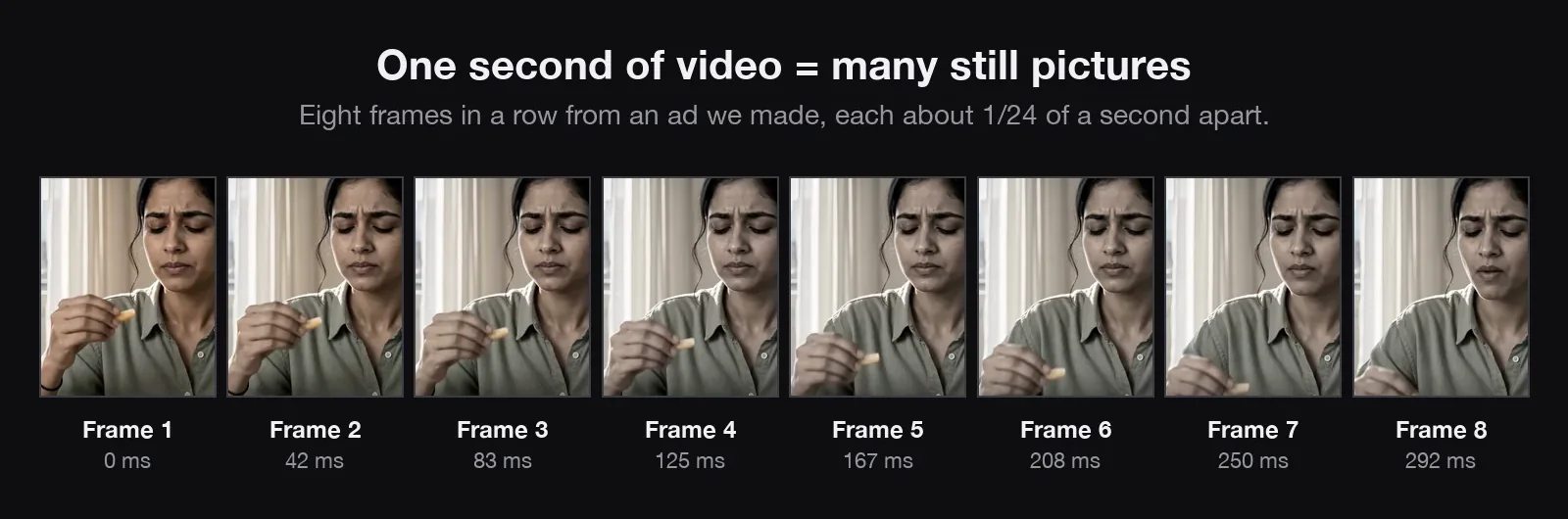
A video is still pictures, called frames, shown fast enough that your brain fills in the motion, like a flip book. The number per second is the frame rate, or fps. Around 10 to 12 fps starts to look like movement; 24 is the film standard and what most AI video models make; 30 and 60 look smoother.
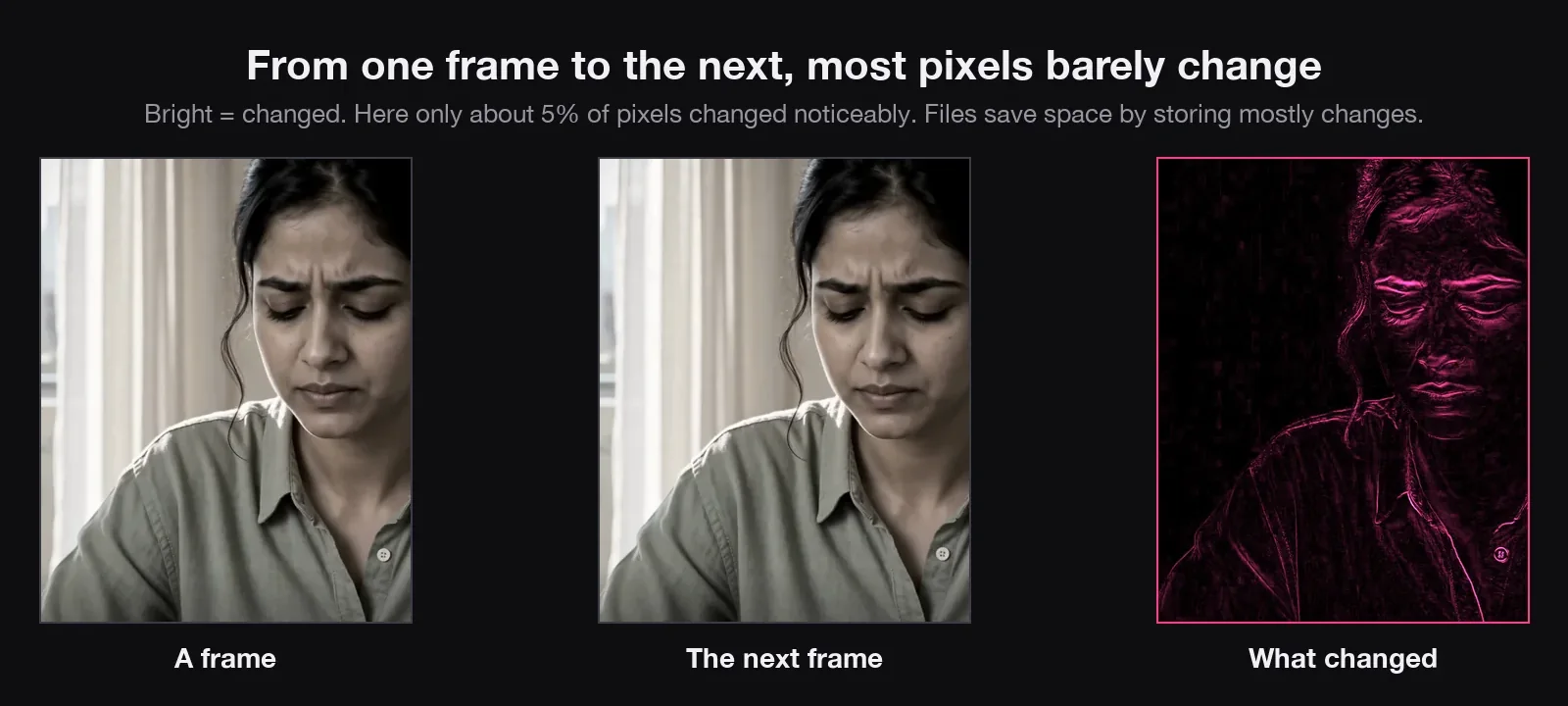
Neighbouring frames are almost identical. Between two frames of someone talking, only the moving parts change; here, about 5% of the pixels. That's what makes motion look continuous.
Think about what that means for an AI model: a 10-second clip is about 240 pictures, every one a full grid of pixels, and every one has to agree with the others. Same face, same shirt, same light. That's why a video costs far more than an image.
How a model makes all the frames
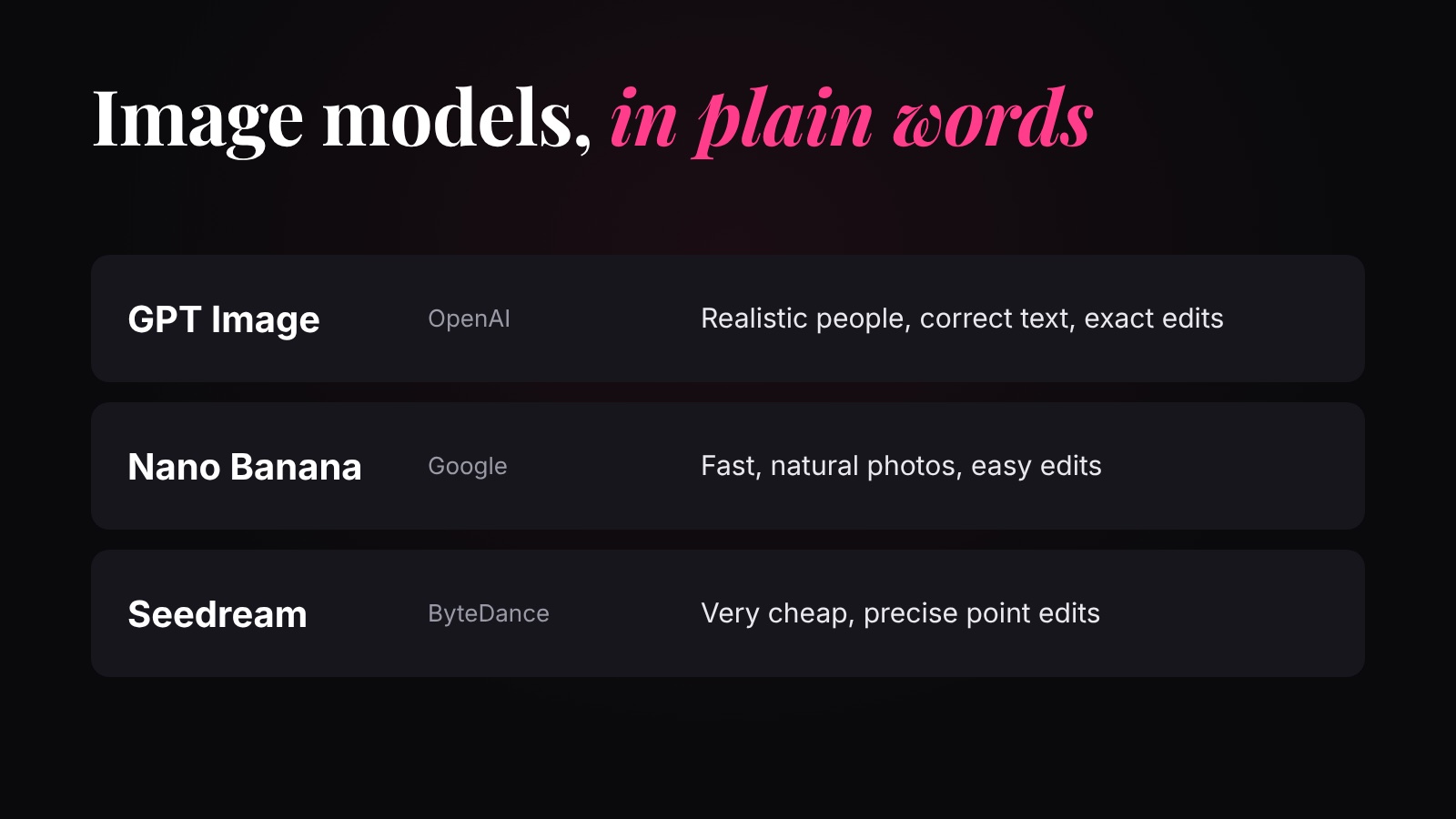
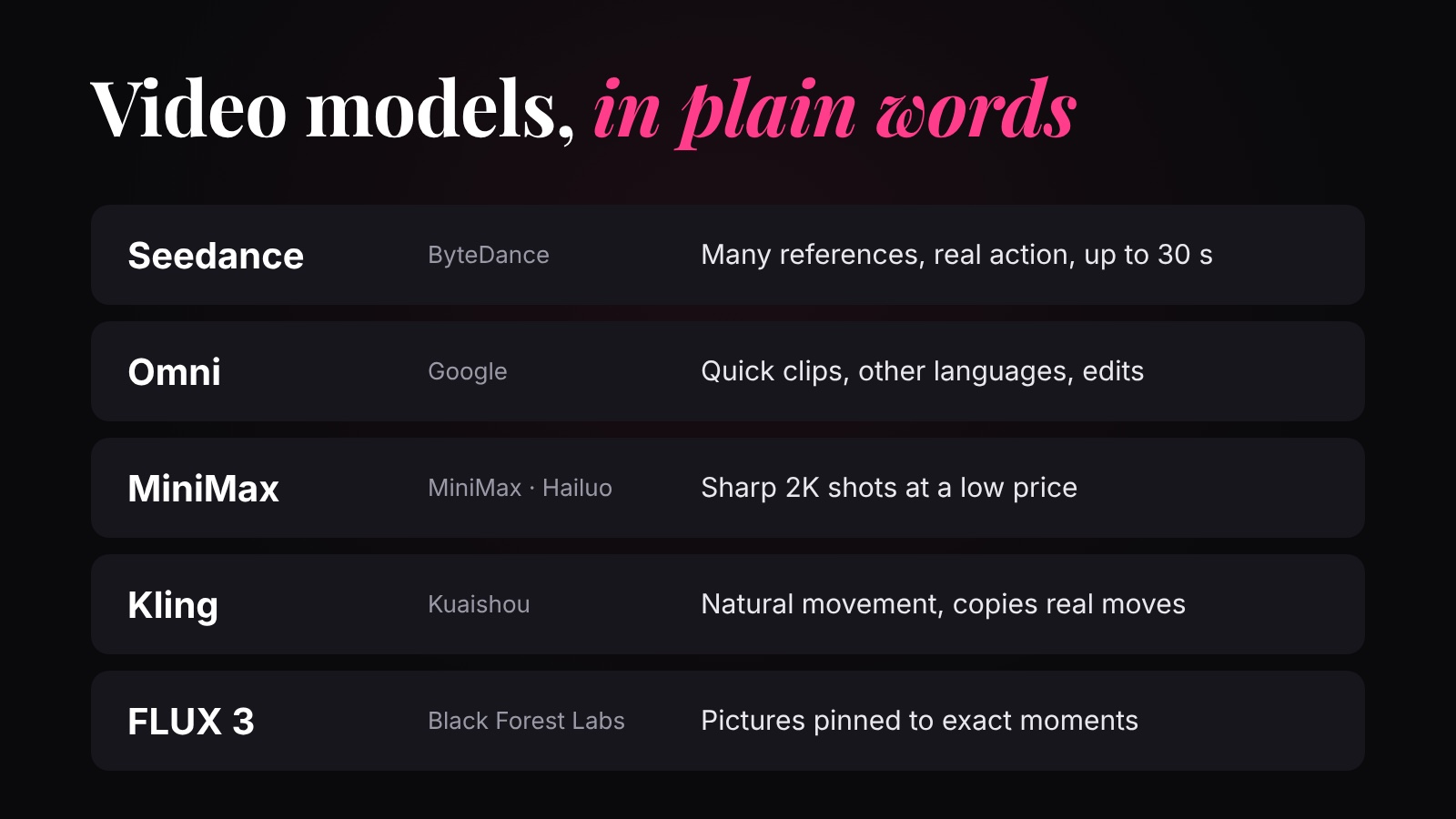
Not one at a time. Most of today's models, like Seedance, Veo, Kling and Wan, take the image idea (clean static, step by step) and stretch it across time: they start from a stack of static, one layer for every moment of the clip, and clean the whole stack together.
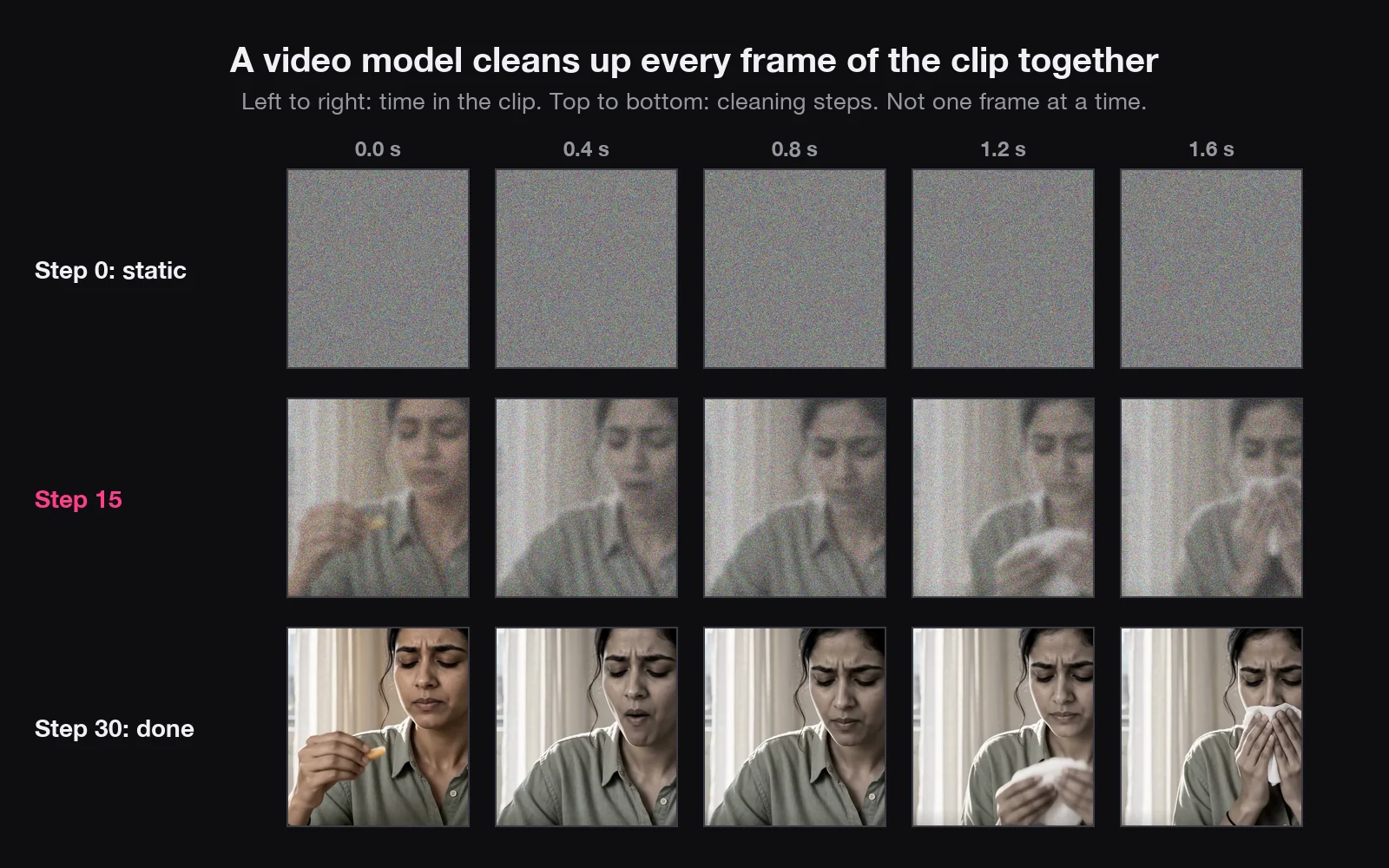
At every step the model sees all the frames, so when it decides where a hand is at 0.5 seconds, it knows where it was just before and just after. That's why motion holds together. Many models also make the sound in the same pass.
Holding every frame at once takes a lot of computer memory. That's why clips are short, usually a few seconds and rarely more than fifteen, and why video is priced by the second. A longer clip means more frames, more work and a higher price.
Some models work chunk by chunk instead, like writing one paragraph after another: each new chunk looks at the one before it and continues the scene. They can run much longer, but a small mistake in one chunk gets carried into the next, and grows, so faces drift. Sand AI's MAGI-1 works this way, and the extend button in many apps uses the same idea.
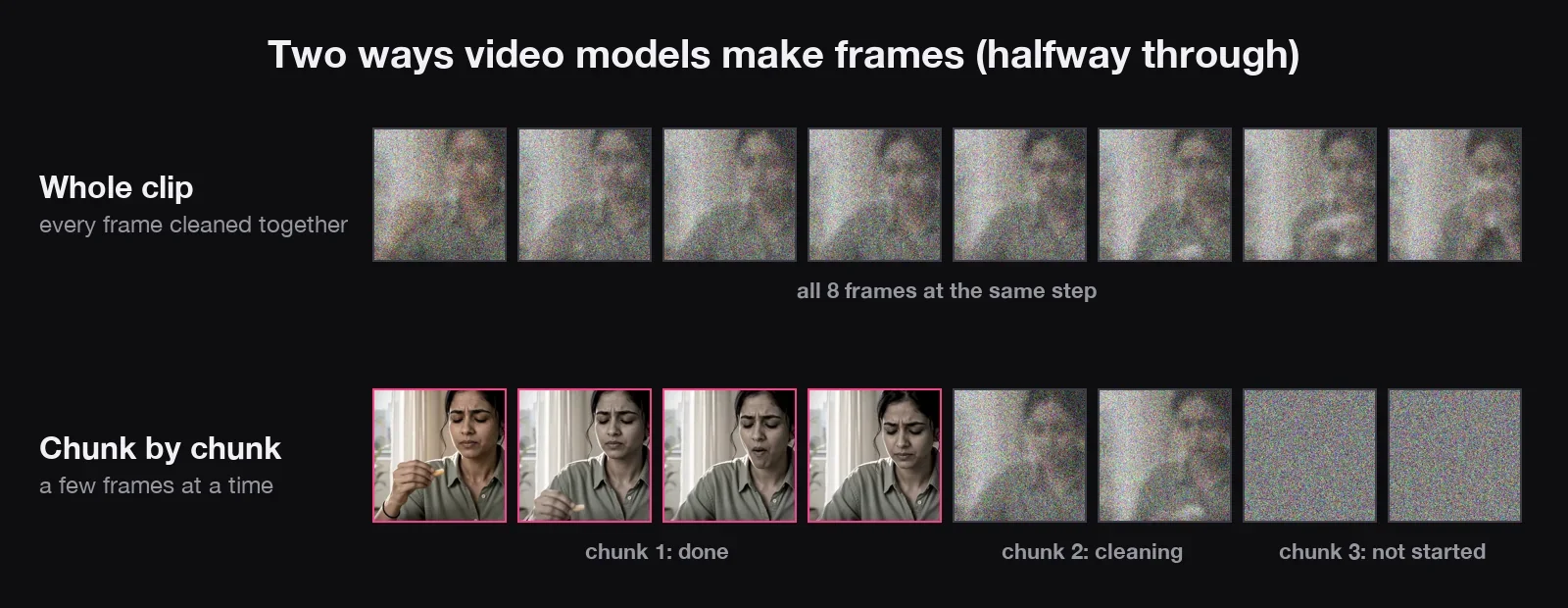
Image-to-video: your picture is frame one
Give the model a starting image and it's locked in as the first frame. Every other frame starts as static, and the whole stack is cleaned together, always agreeing with that first frame. Seedance, Kling, Veo and Hailuo can all start from your image.
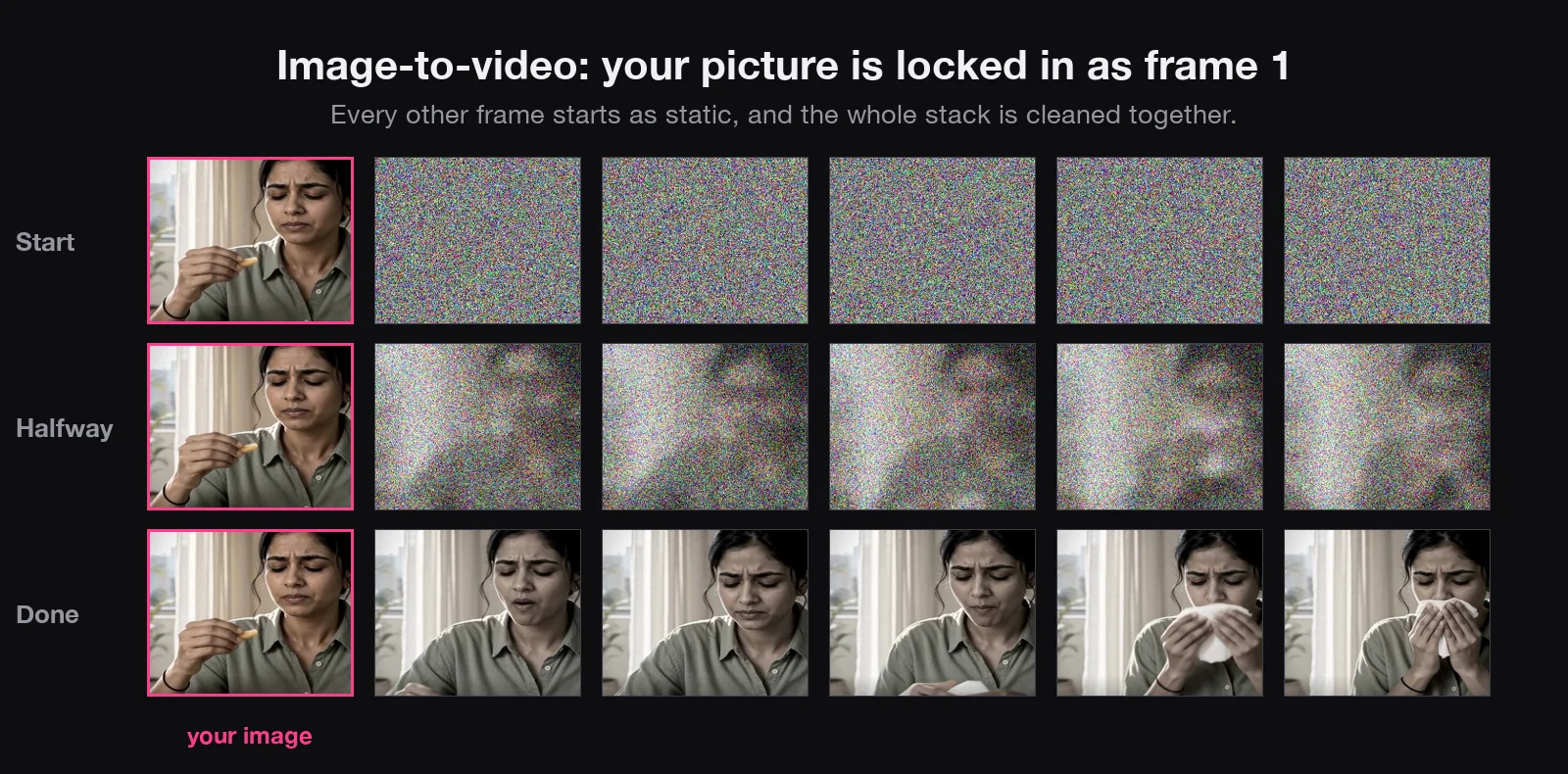
Give it a first and a last frame, and both are locked: the model only has to imagine the movement in between. Veo, Kling and Seedance can all do this. It's the easiest way to control where a shot ends. The catch: anything that wasn't in your frames, the model has to invent.
Reference-to-video: how your references are read
This is the one we use most. Your images are not frames at all. Say you attach three sheets: her character sheet, the product sheet and a sheet of her flat. Each one is read and turned into labels: her face, her long wavy hair, her white shirt with small red hearts; the tube's green cap and its exact label; her small flat with a dark granite kitchen counter. It's the same way an image model reads references.
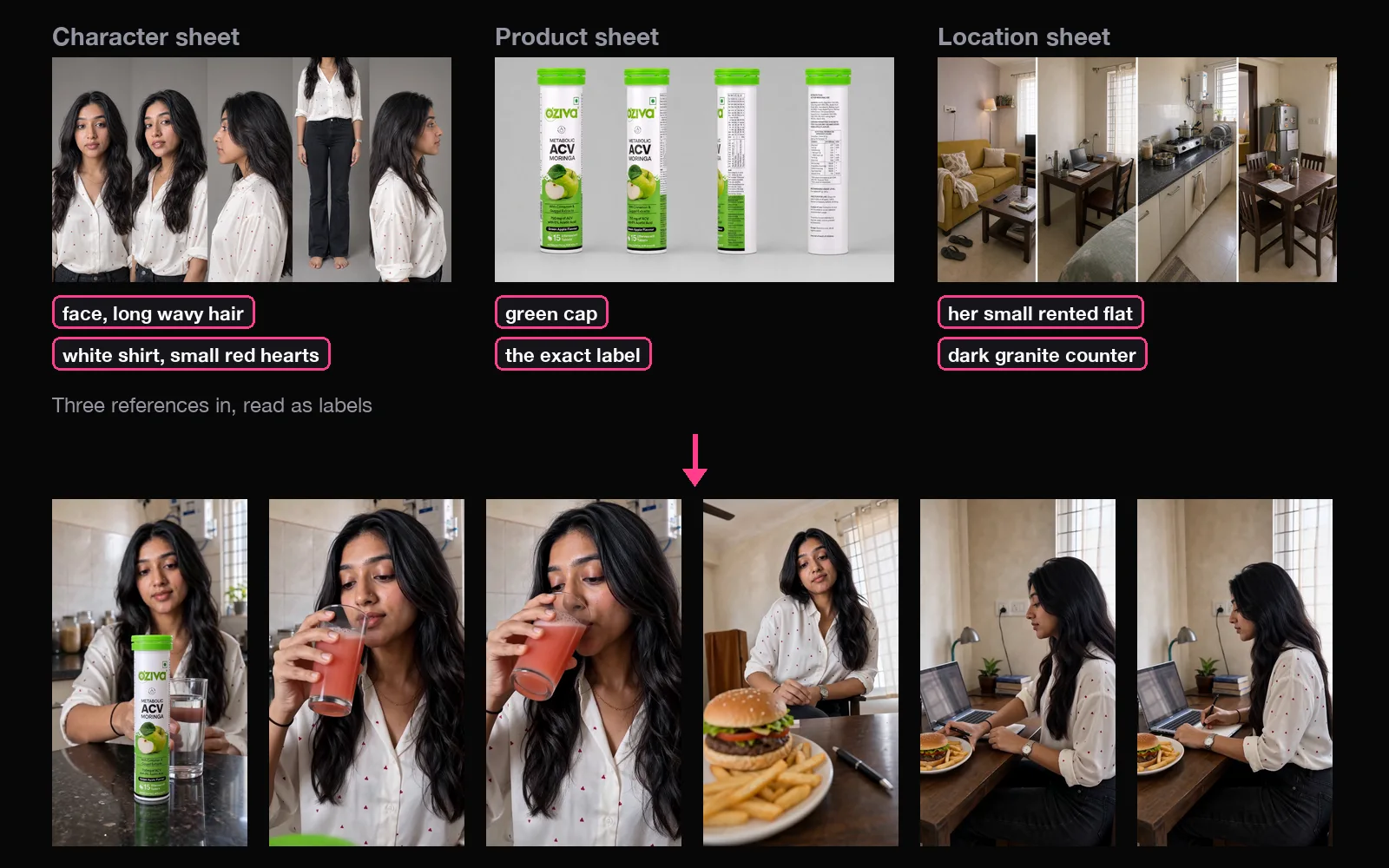
At every cleaning step, for every frame, the model looks back at those labels: what does her face look like, what does the cap look like? So the same face and the same tube show up in every frame, while the camera and the people are free to move. Seedance, Veo (which calls them “ingredients”), Kling and Vidu all work like this. Each extra reference is more for the model to read, so it adds a little work.
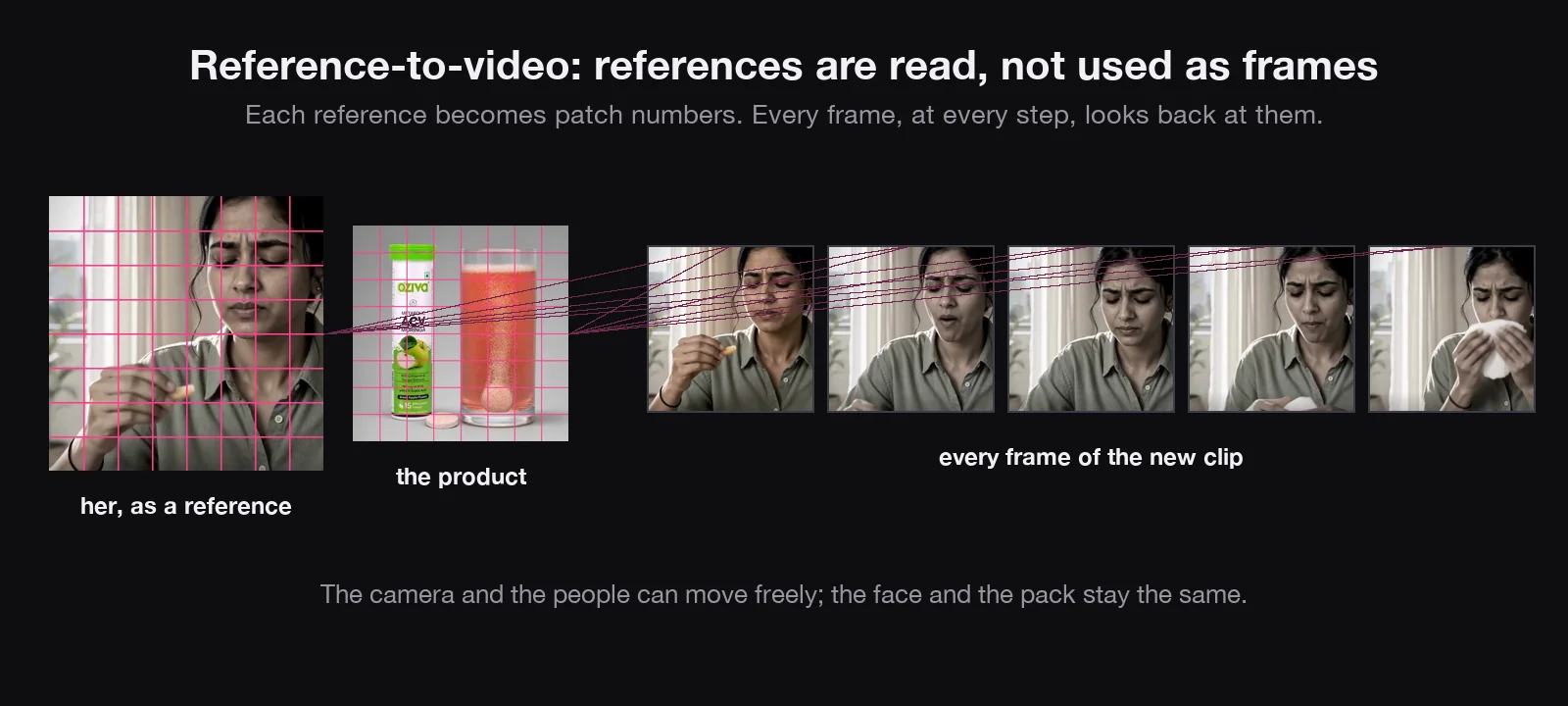
References are what our character sheet and product image lessons feed.
| You start from | What the model does with it | Use it for |
|---|---|---|
| Words only (text-to-video) | Invents everything | One-off moments: a sunrise, a splash |
| A picture (image-to-video) | Locks it as frame 1 (and maybe the last) | Exact openings, talking to camera |
| References (reference-to-video) | Reads them at every step, for every frame | Your character and product, with action |
| A video (video-to-video) | Restyles it, extends it, or copies its motion | Reusing movement you already have |
What makes a video cost more
Four things, and each one means more work for the model:
- A longer clip: more frames to make.
- A higher resolution: every frame has more pixels.
- Sound: when the model makes the audio too.
- More frames each second: more pictures for the same moment.
Fast or lite versions of a model cost less, with a little less quality. On OpenDirector you see the price before anything runs.
Frame rate: smoothness vs cost
More frames look smoother, but every extra frame is another full picture the model has to make and keep consistent. 60 fps is more than twice the work of 24.
| Frame rate | Frames in a 10-second clip | Work |
|---|---|---|
| 16 fps | 160 | Less |
| 24 fps | 240 | Normal |
| 30 fps | 300 | A bit more |
| 60 fps | 600 | More than twice |
That has a catch for slow motion. Slowing a clip doesn't create frames; it holds the ones you have. A 24 fps clip slowed 3× shows only 8 new frames a second, and it stutters. Speeding up is always fine: frames are simply skipped.
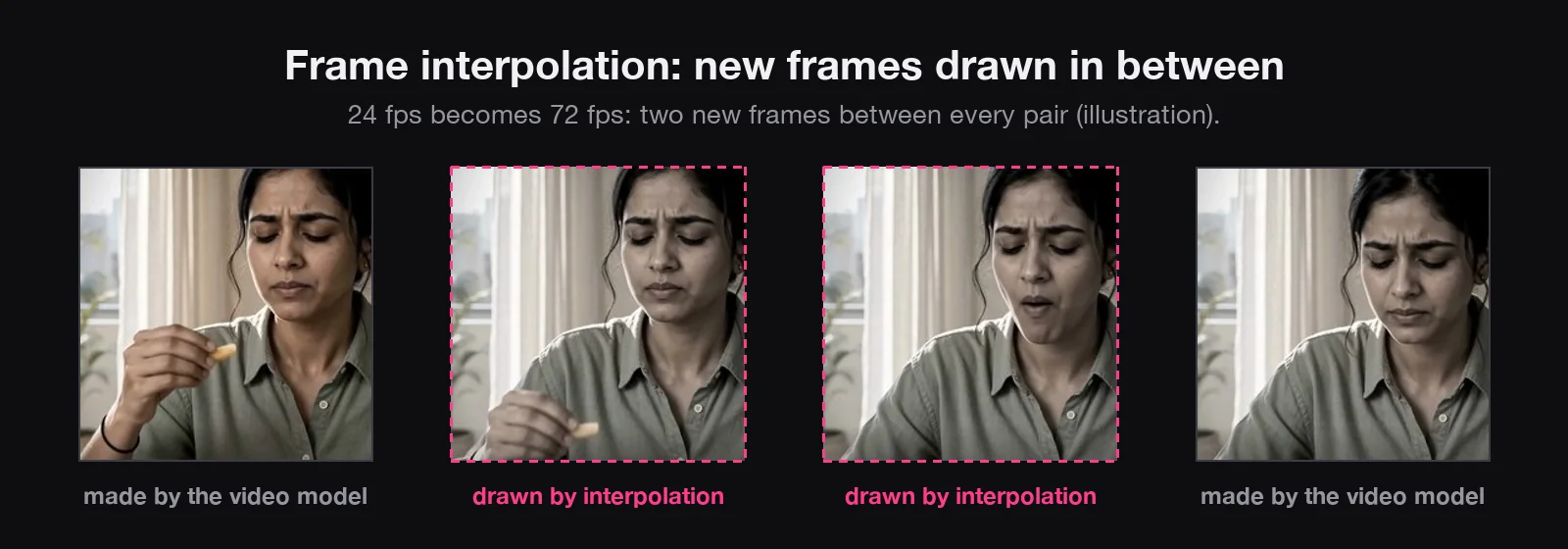
Two fixes. Ask for slow motion in the prompt, so the model makes it slow from the start. Or use frame interpolation: a separate, much cheaper model that looks at two neighbouring frames and draws the frames in between. Raise 24 fps to 72, slow it down 3×, and it's smooth again. Topaz Video AI and the free tool RIFE do this. It works best on simple movement; hands, hair and crossing objects can smear.
Resolution is the other dial: how many pixels in each frame. More pixels give room for detail, and cost more per second. Draft at 480p or 720p, finish at 1080p (1080 × 1920 for Reels and Shorts). Pixels aren't realism, though: plastic skin looks fake at any size.
The mental picture to keep
- A video is a stack of frames; 24 a second for most AI video.
- Most models clean the whole stack at once, so motion and faces hold together. Some go chunk by chunk, and can drift.
- Image-to-video locks your picture as frame 1.
- Reference-to-video reads your references at every step, for every frame.
- A longer, sharper, louder or smoother video costs more; for slow motion, prompt it or interpolate.
Quick answers
Does an AI video model make one frame at a time?
Most don't. They make all the frames of a clip together, starting from a stack of static. Some extend clips chunk by chunk, which can drift.
What's the difference between image-to-video and reference-to-video?
In image-to-video your picture is the exact first frame. In reference-to-video your pictures are read as descriptions (face, product, place) that every frame follows; the shot itself is new.
Why do AI video models use 24 fps?
Every extra frame is another full picture to generate and keep consistent, so higher frame rates cost much more. 24 fps is the film standard and looks natural.
Why does my slowed-down AI clip stutter?
Slowing it down shows the same frames for longer. 24 fps slowed 3× is 8 new frames a second. Prompt for slow motion, or use frame interpolation first.
What makes an AI video cost more?
More work for the model: a longer clip, a higher resolution, sound made by the model, and more frames a second. Video is priced by the second, and fast versions cost less.
What is frame interpolation?
A model that draws new frames between two existing ones, raising the frame rate (for example 24 to 72 fps) so slow motion stays smooth.
Why do faces drift in long AI videos?
Without good references the model only has your words to go on, and in chunk-by-chunk models small mistakes carry forward. Attach a character sheet to every clip.