You type a sentence and a picture appears. Then you ask for one small change, and the face changes too. Or the label on your product comes out as gibberish. It all feels random until you see what the model is actually doing.
In the first lesson you saw what AI saves. Now, how it works. This lesson gives you one mental picture that explains all of it, thinking in pixels: an image is a grid of pixels, and every image model is choosing a colour for each one. No maths. Just the picture. Every lesson after this one builds on it.
Why you shouldn't skip the prep+
An image is a grid of pixels
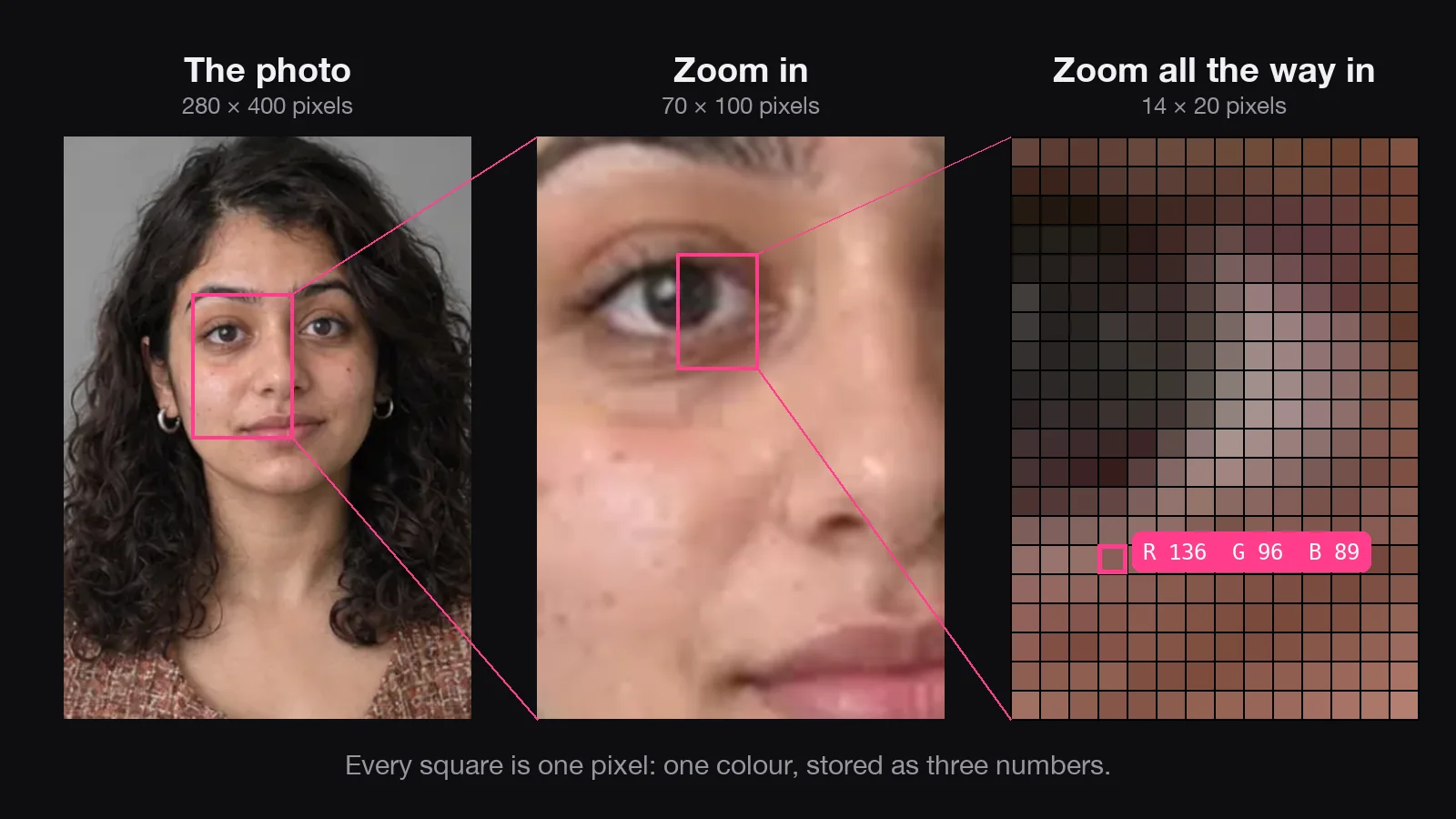
Zoom far enough into any photo and it turns into blocks of colour. Each block is a pixel: the smallest piece of an image, holding exactly one colour.
That colour is a mix of red, green and blue light. A little of each makes a dark colour; a lot of all three makes white.
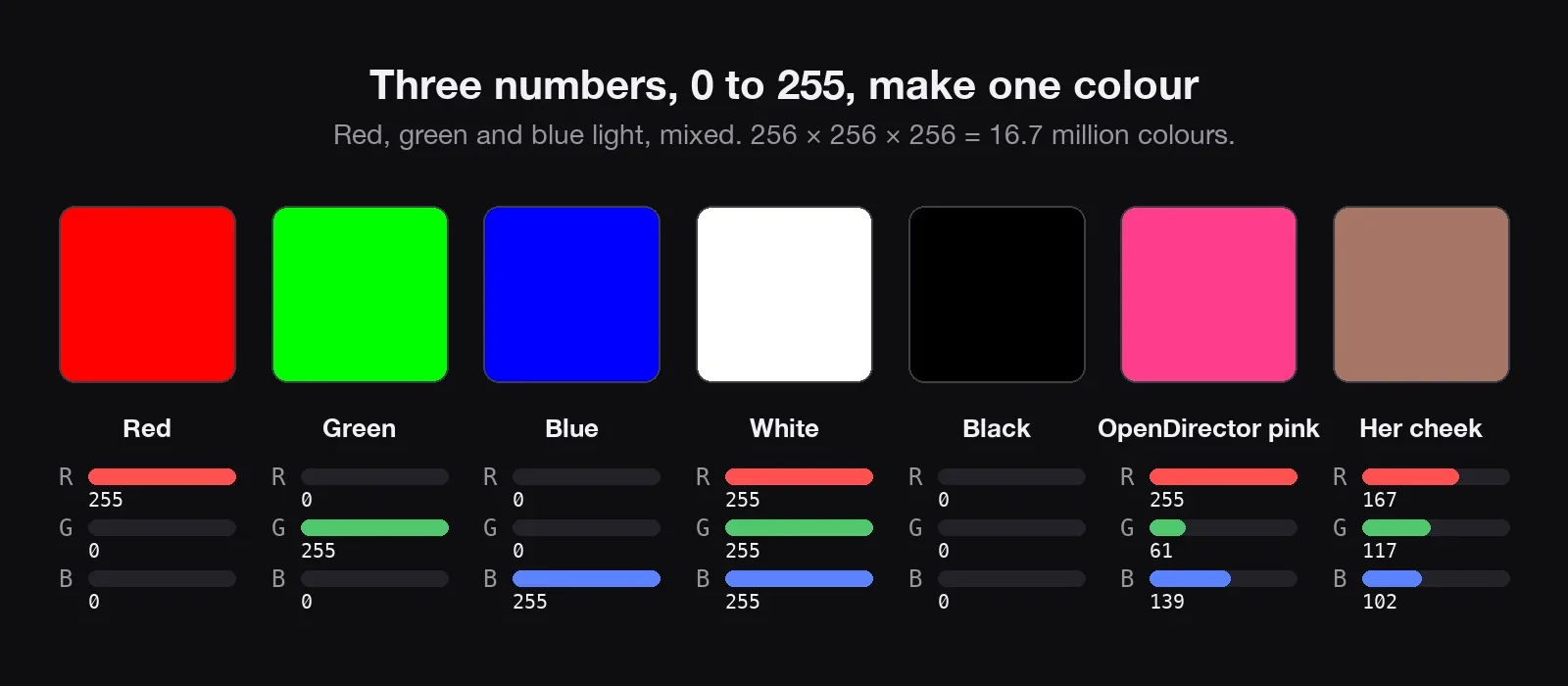
Resolution is the size of the grid. A 1080p image has about 2 million pixels. 4K has four times as many. So an image model's whole job is to choose millions of colours that agree with each other, and look like your prompt.
Text-to-image: from static to a picture
Most image models don't paint left to right, like a printer. They start with the whole grid full of random static, every pixel a random colour, and clean it up.
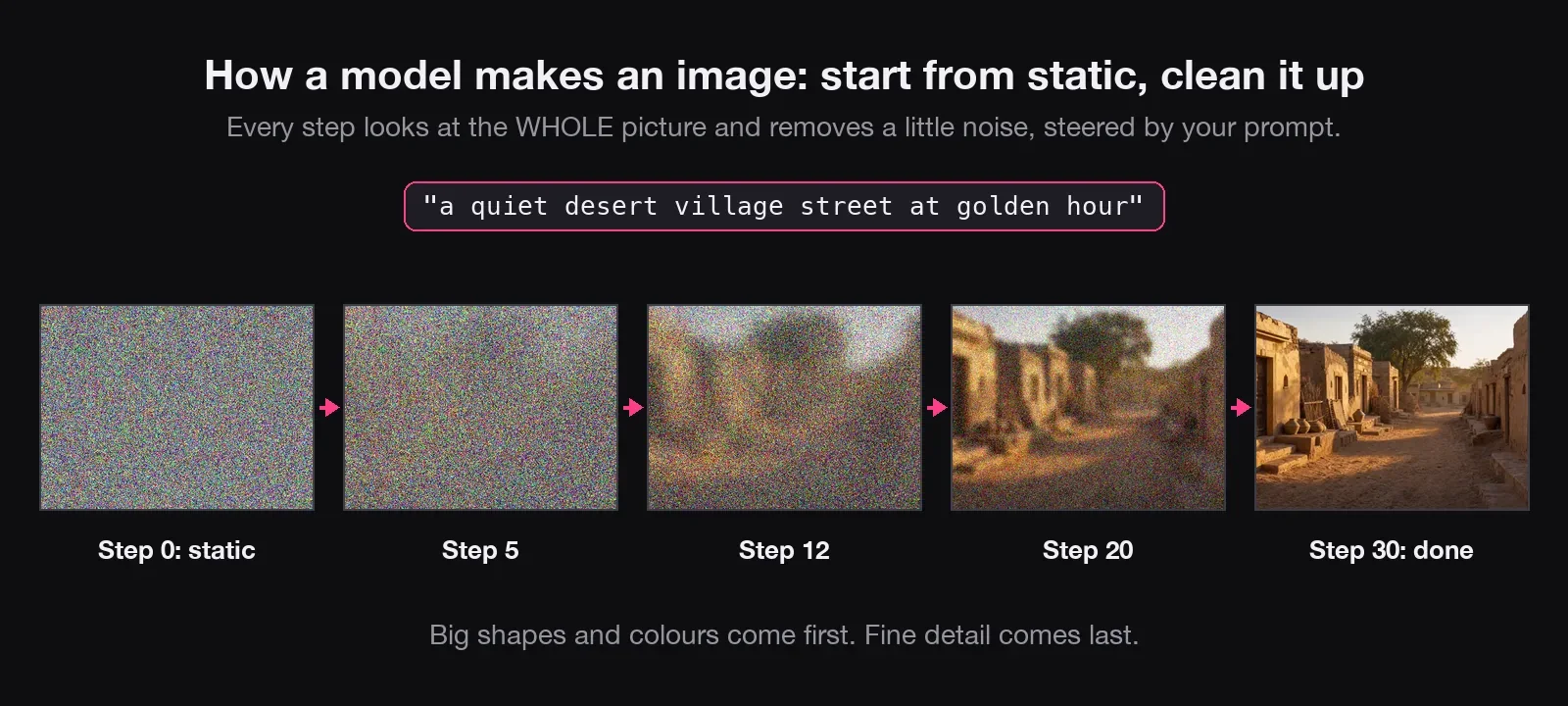
At each step, the model looks at the entire picture and nudges every pixel a little closer to what your words describe. Step by step, the static becomes a picture. This is called diffusion. Flux, Stable Diffusion, Seedream and Google's Imagen all work this way. Think of a sculptor: big shapes first, then the face, then the eyelashes. Your prompt tells the model which statue to find.
How did it learn that? By practising the opposite. Millions of real photos were buried in static, step by step, and the model learned to guess what static was added. Guess it well enough, and you can take it away.
Every step costs money. Each step means the model looks at the whole picture again. More steps means more work for the computer, a longer wait and a higher price. That's the trade the fast versions of a model make: fewer steps, a little less detail.
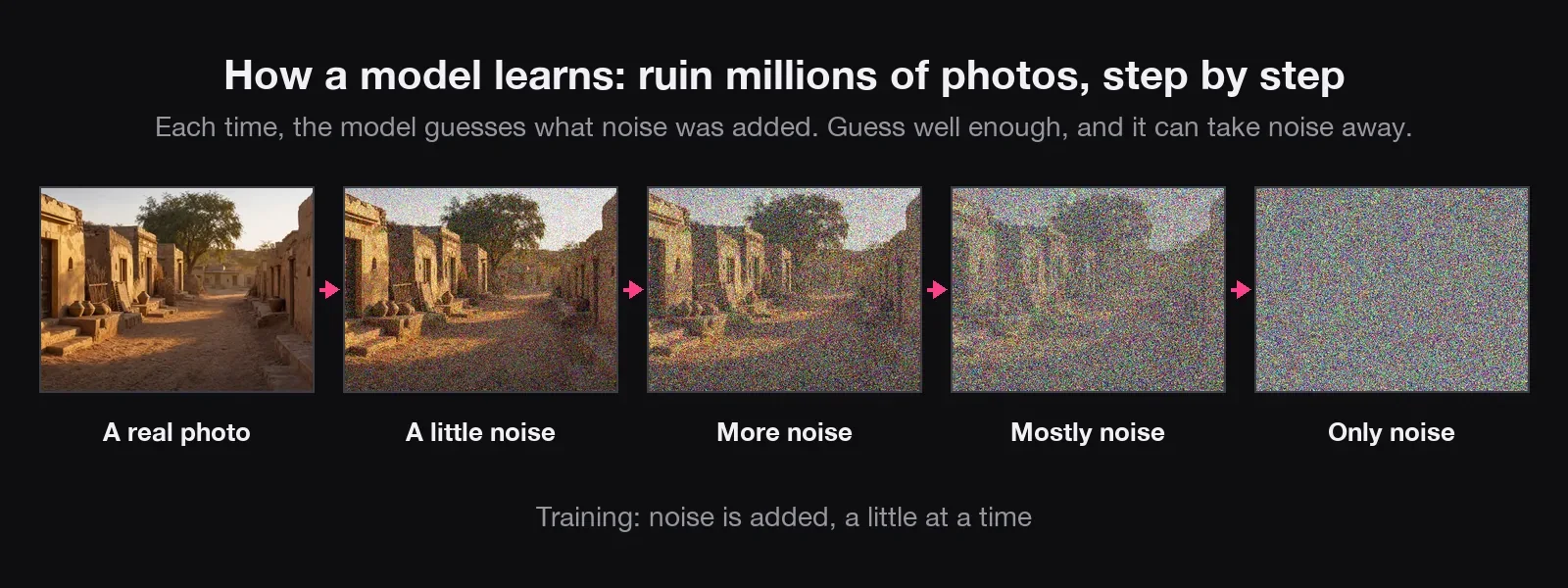
- Same prompt, different picture: every image starts from different random static (the seed).
- Vague prompts give average pictures: if your words don't steer the cleaning, the model falls back on the most typical version.
- Small details go wrong first: label text, fingers and earrings come last, with few pixels to work with.
Other ways models make the pixels
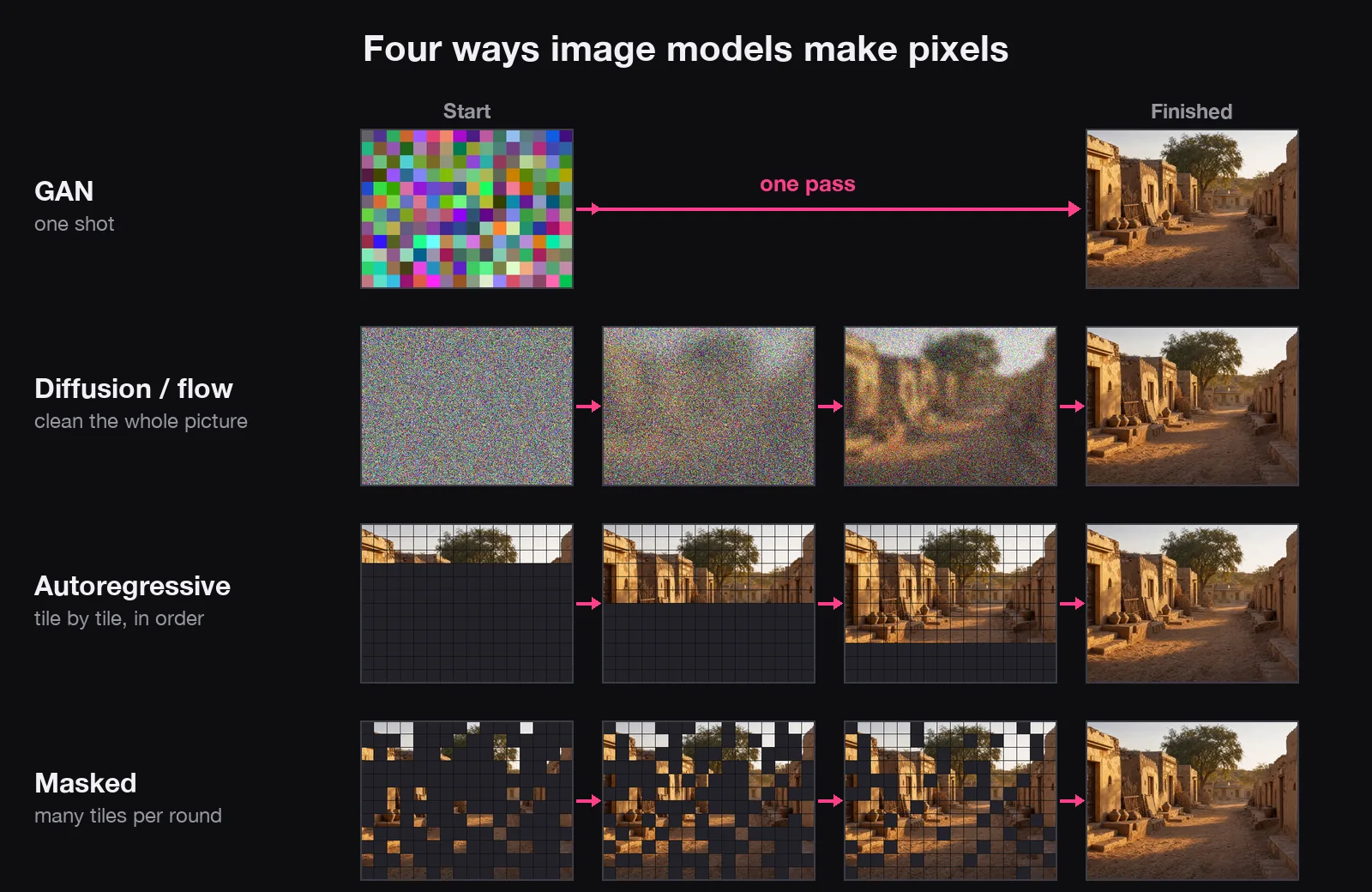
Not every model cleans static. There are four families (kinds) of model. They differ in the order they choose the pixels in, and that changes how long they take:
| Family (examples) | How the pixels appear | Time and cost |
|---|---|---|
| Diffusion (Flux, Stable Diffusion, Seedream, Imagen) | Whole picture, sharper every step | More steps, more cost |
| Autoregressive (OpenAI describes ChatGPT's image model this way) | One tile at a time, each looking at the tiles before it | Many turns: a bigger picture takes longer |
| Masked (Google's research model Muse) | Every tile hidden; the surest ones filled each round | Fewer rounds, less waiting |
| GAN (older) | All at once, in one pass | Very fast, but hard to steer with words |
You don't need to know which family a model is to use it. The mental picture holds either way: the model is choosing pixels, guided by your words. Image models compared shows which family each model you'll use belongs to.
Image-to-image: starting from your picture
Give the model a picture as well as words, and there are a few ways it can use it.
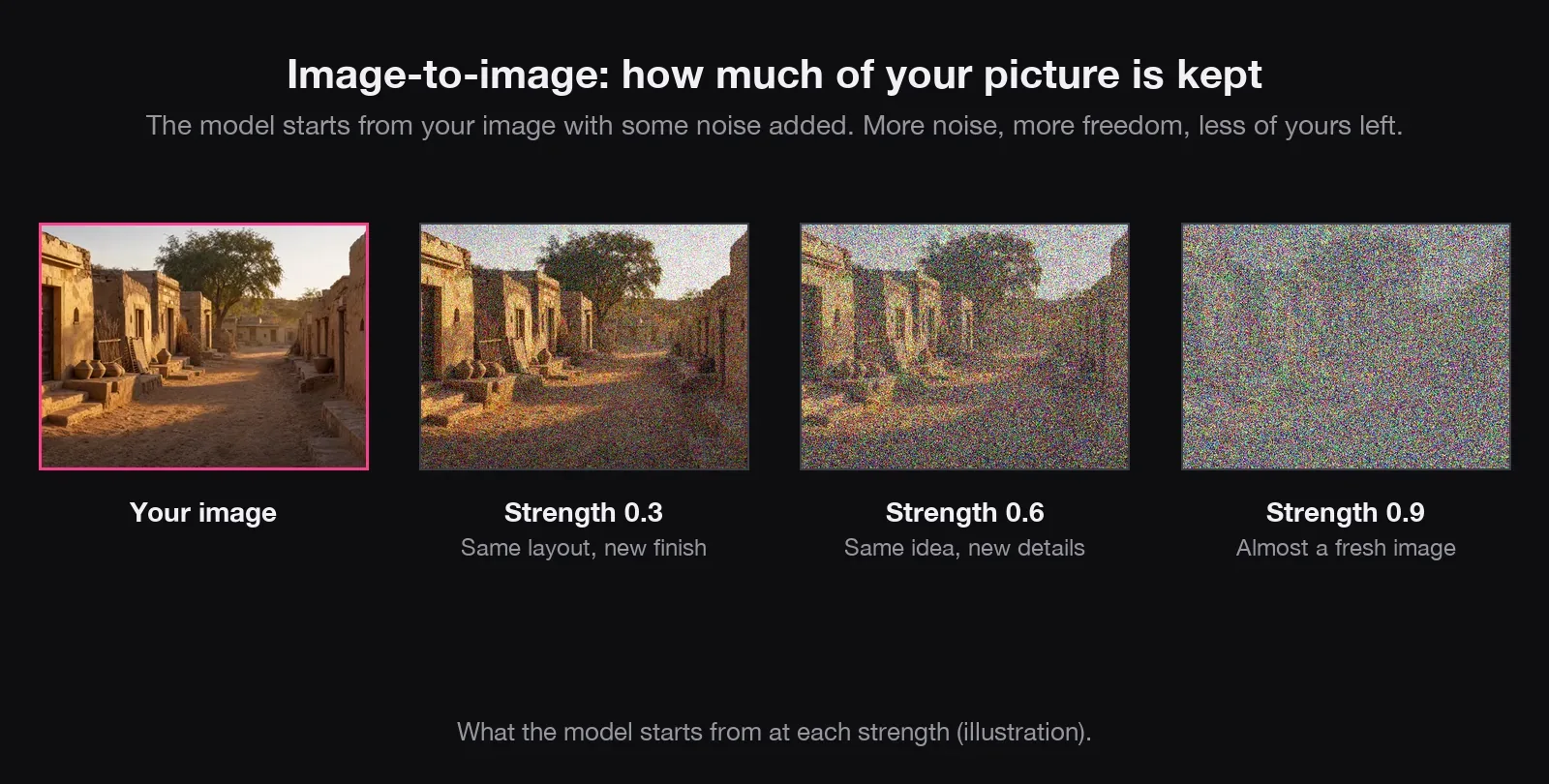
1. As the starting point. Instead of pure static, the model sprinkles some noise over your image, then cleans it up again, steered by your prompt. A setting called strength (or denoise) decides how much noise.
2. As reference images. This is how most image-to-image work is done today. Say you attach three: a woman, a bottle and a kitchen. The model doesn't cut and paste them. It reads each picture and turns it into labels: her face and green shirt, a white tube with a green cap, a bright kitchen with a stone counter. Then it draws a brand new picture from static, checking those labels and your prompt at every step.
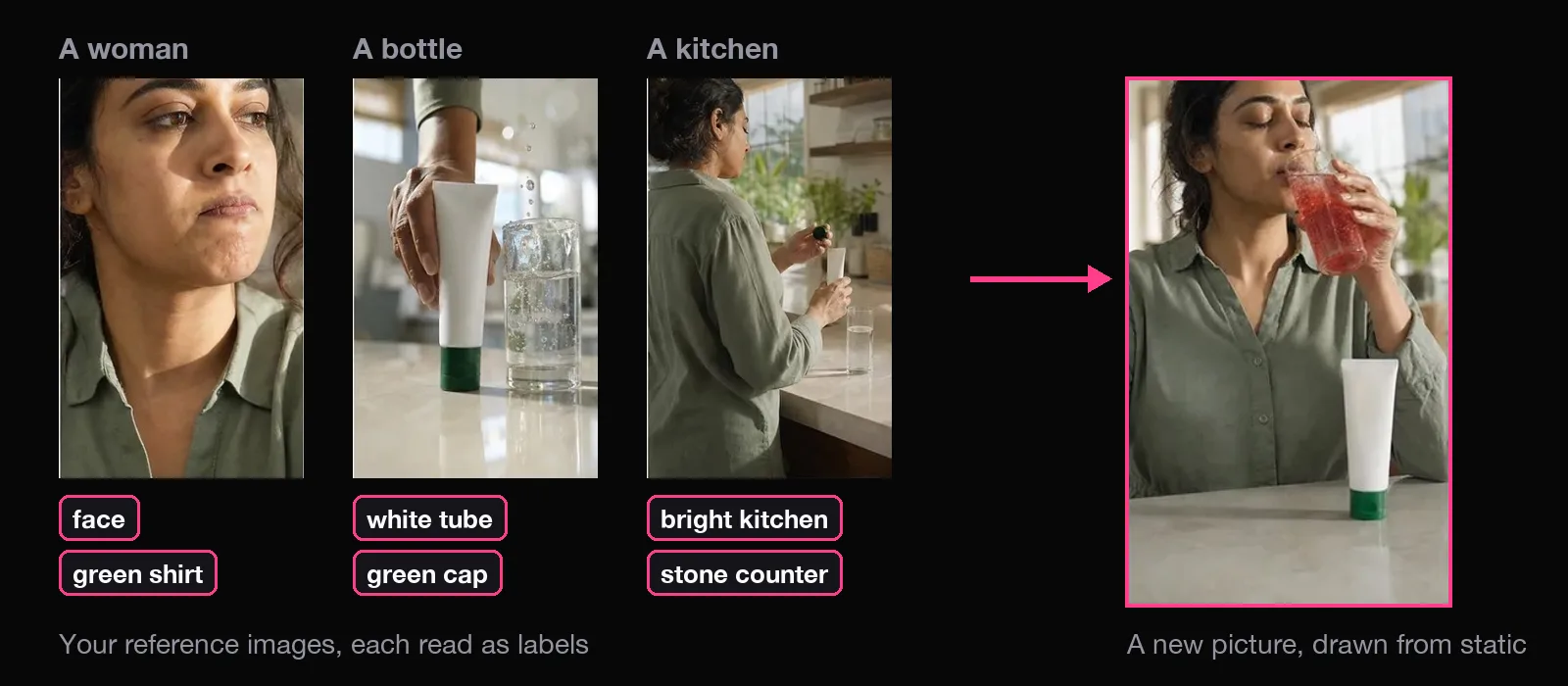
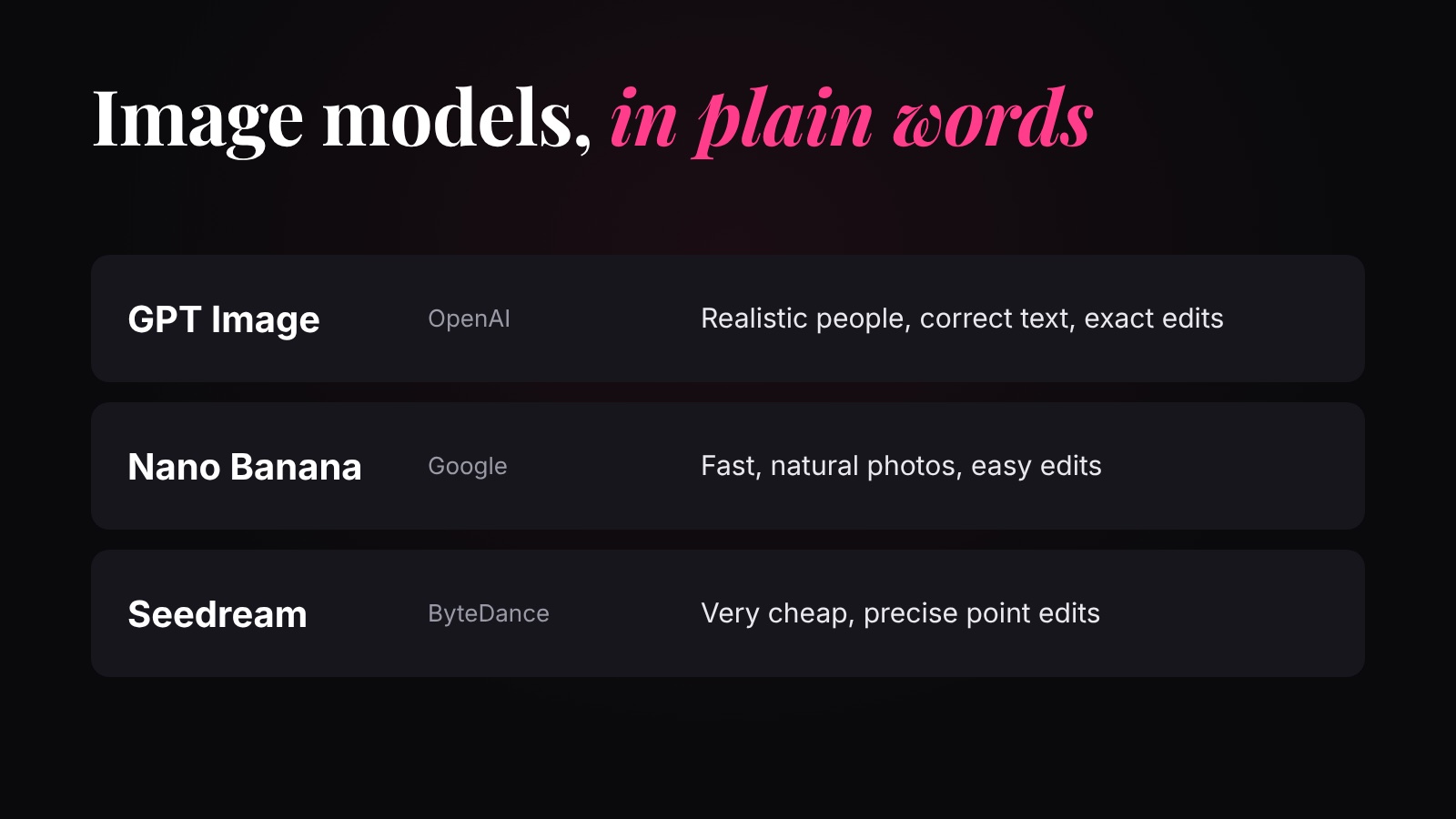
Nano Banana, GPT Image 2, FLUX.2 and Seedream can all take several references. Each extra reference is more for the model to read, so it adds a little work.
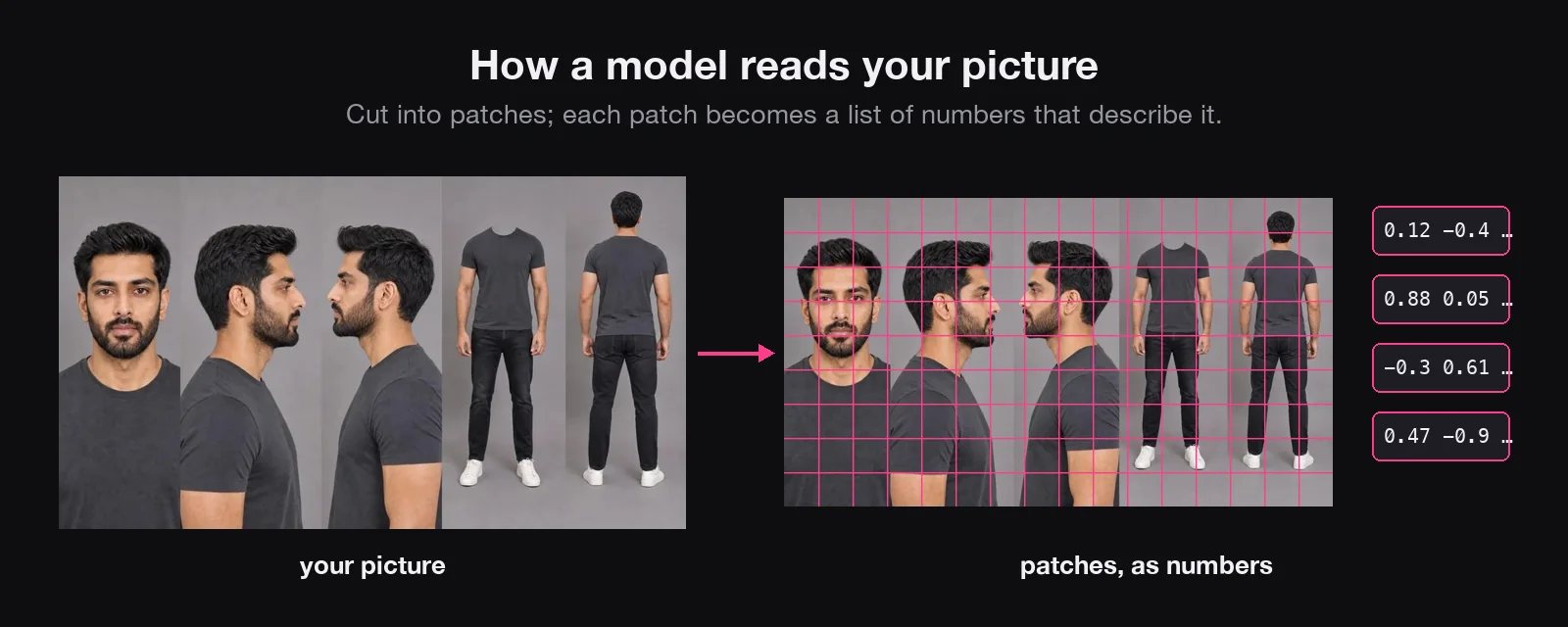
3. As the picture to edit. Editing models use the same trick on one picture. Your picture is cut into patches, and each patch becomes a set of numbers describing what's there: this one says face, this one hair, this one T-shirt. Then the model makes a fresh image. Where nothing should change, it tries to keep the same numbers. Where you asked for a change, it draws something new.
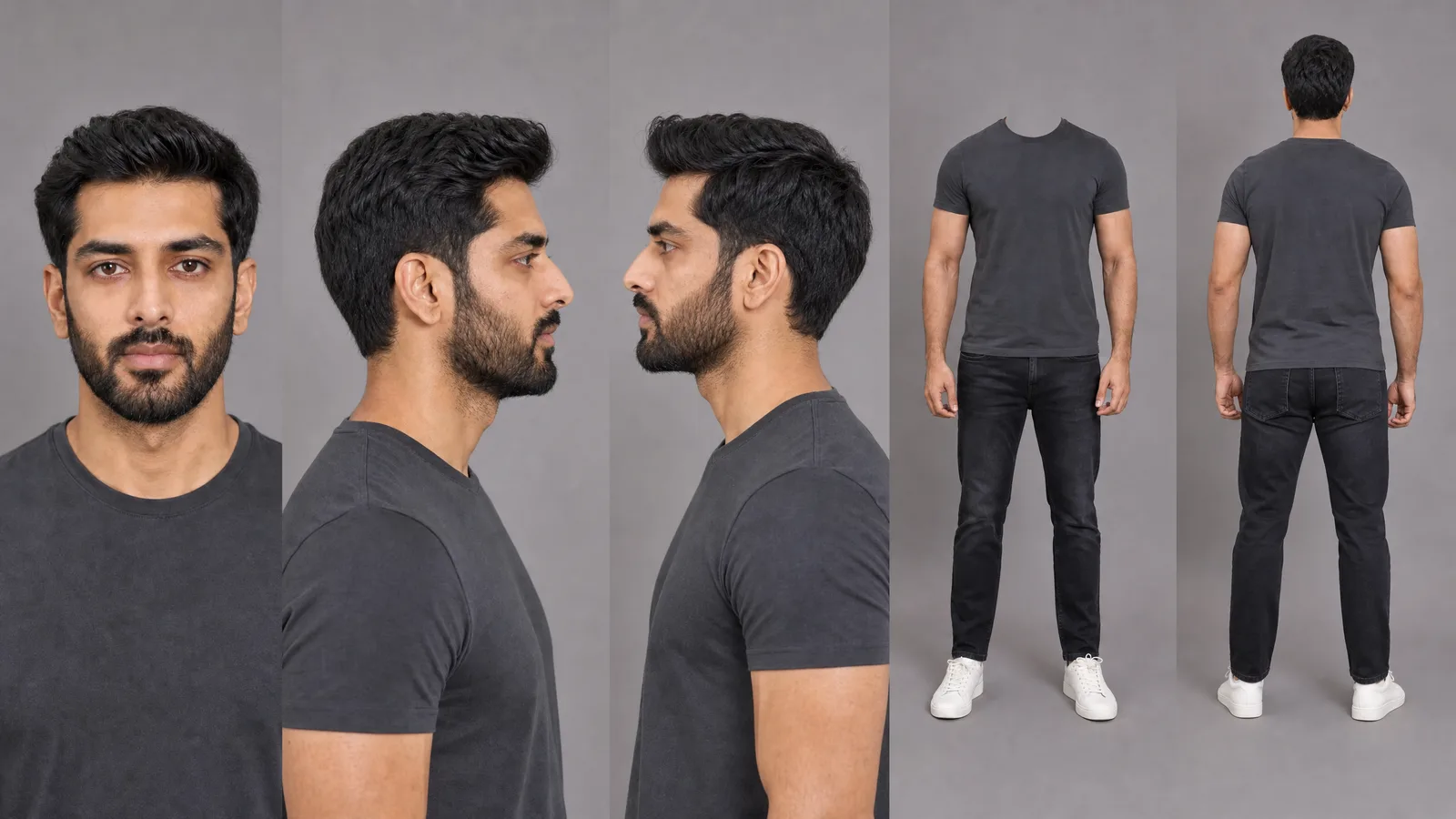
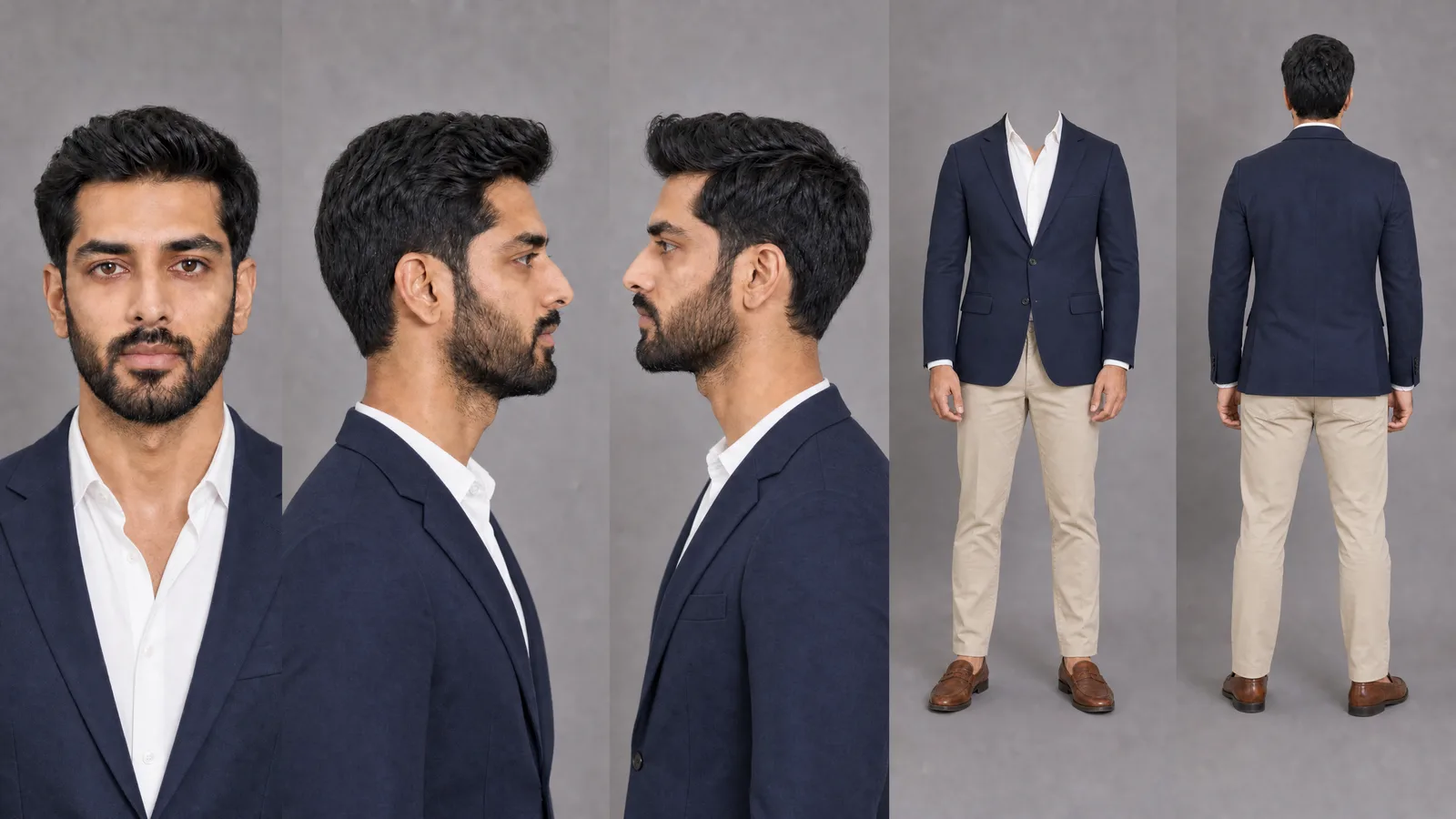
Because the whole picture is drawn again, an editing model sometimes changes things you never asked for: a slightly different face, a moved hand, new text on a label. Above, the trousers and shoes changed too. So ask for one change only, and say what must stay the same. And when something really must not change, use inpainting. That's the method in the character sheet lesson.
Keep everything in the attached image the same: the face, hair, body and pose. Change only one thing: [the t-shirt] becomes [a navy blazer over a white shirt].
Inpainting, outpainting and upscaling
Inpainting is the most precise edit. You paint a mask over one area. Only the pixels under the mask are turned back into static and redrawn. Every pixel outside it stays exactly as it was, so a face can't drift, because it is never redrawn. Photoshop's Generative Fill and Flux Fill work like this. It isn't much cheaper than a normal image: the model still looks at the whole picture to make the new part fit.
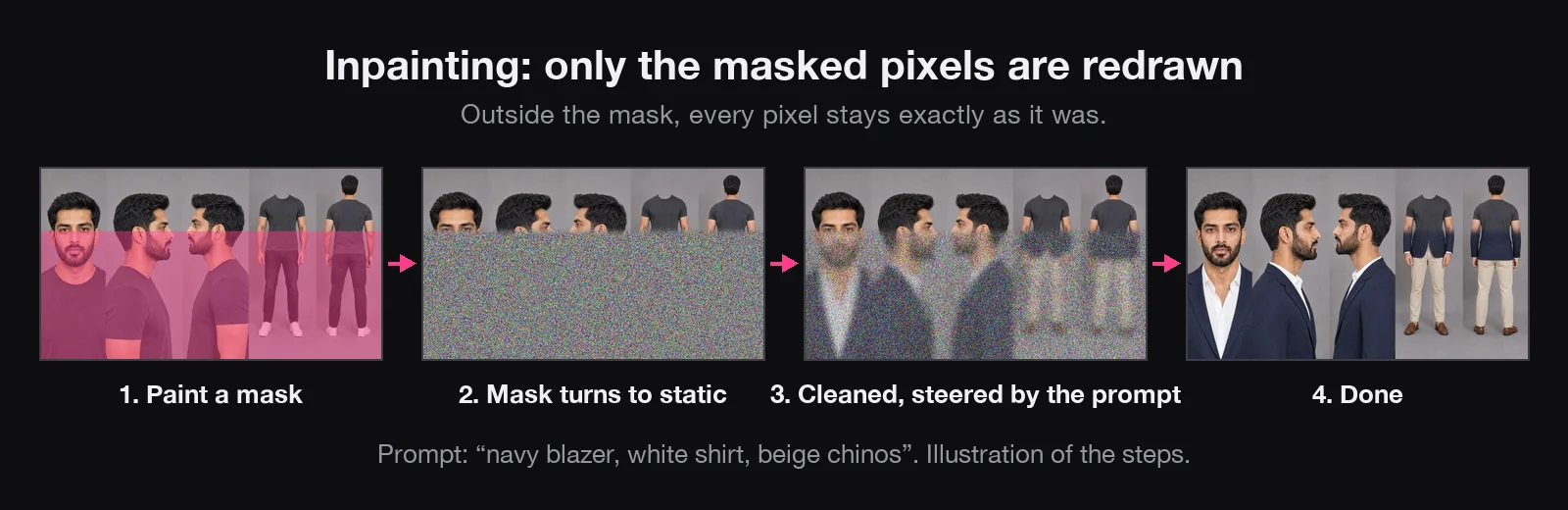
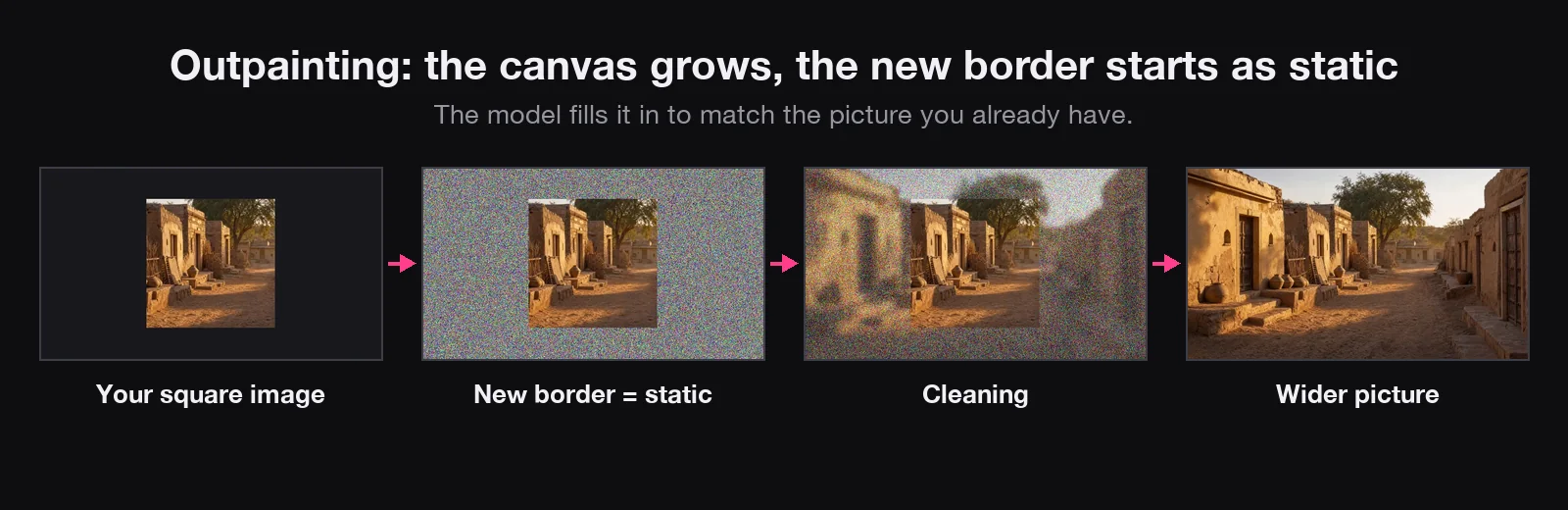
Outpainting is the same idea pointed outwards. Say you have a square picture and need it wide for YouTube, or tall for Reels. You could crop it and lose the top and bottom. Or you can grow the canvas: the new edges start as static, and the model imagines what could be there, matching the picture you already have. Photoshop calls this Generative Expand. The bigger the new area, the more there is to draw.
Upscaling adds pixels. Going from 1080p to 4K means four times as many pixels in the same picture. Each old pixel becomes four squares, and the new squares start empty. The model fills them with believable detail, like skin texture and sharp edges. Topaz Gigapixel and Magnific are popular upscalers.
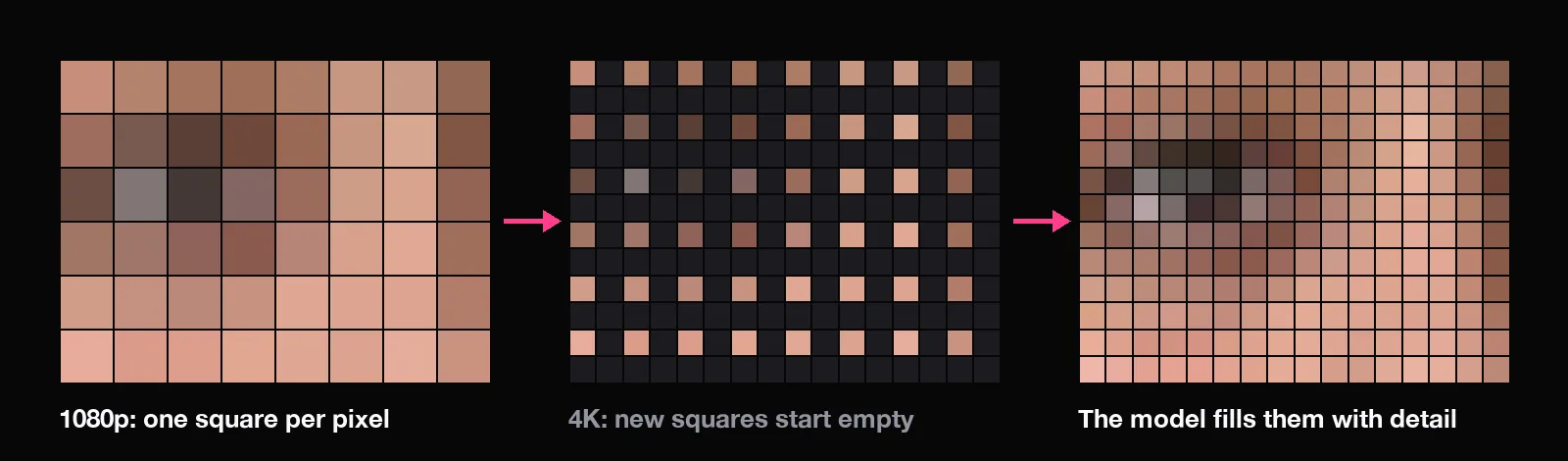
More pixels means more work, so a 4K image usually costs more than a 1080p one. And an upscaler can sharpen a face, but it can't fix a face that was drawn wrong.
The mental picture to keep
- An image is a grid of pixels; a model chooses a colour for each one.
- Text-to-image turns static into a picture, or builds it tile by tile.
- Image-to-image reads your pictures as labels, and draws fresh.
- Editing redraws everything. Inpainting redraws only the mask.
- More steps, more pixels or more references all mean more work, and a higher price.
- If something has to match, attach that something. Words alone give you a stranger.
Quick answers
Does an AI image model paint pixel by pixel?
Most don't. Diffusion models start from static and clean the whole picture at once, step by step. Autoregressive models do build it piece by piece, but in tiles, not single pixels.
Why does the same prompt give a different image every time?
Each image starts from different random static, called the seed. Same seed and settings give the same image.
What's the difference between image-to-image and inpainting?
Image-to-image redraws the whole picture from a noisy copy or a reference. Inpainting redraws only the area you mask; every other pixel stays exactly the same.
Why did my edit change the face?
Editing redraws everything from what it read in your picture. Ask for one change only, say what must stay, or use inpainting to protect the face.
Is GPT Image 2 a diffusion model?
OpenAI hasn't published how GPT Image 2 is built. What matters for you: it takes a prompt alone, or a prompt plus reference images.
What makes an AI image cost more?
More work for the model: more steps, a bigger image (4K has four times the pixels of 1080p) and more reference images to read. Fast versions use fewer steps, so they're cheaper, with a little less detail.
Why do AI images get text and hands wrong?
They're small and detailed, so they get few pixels and are decided last. Newer models are much better, but always zoom in and check.