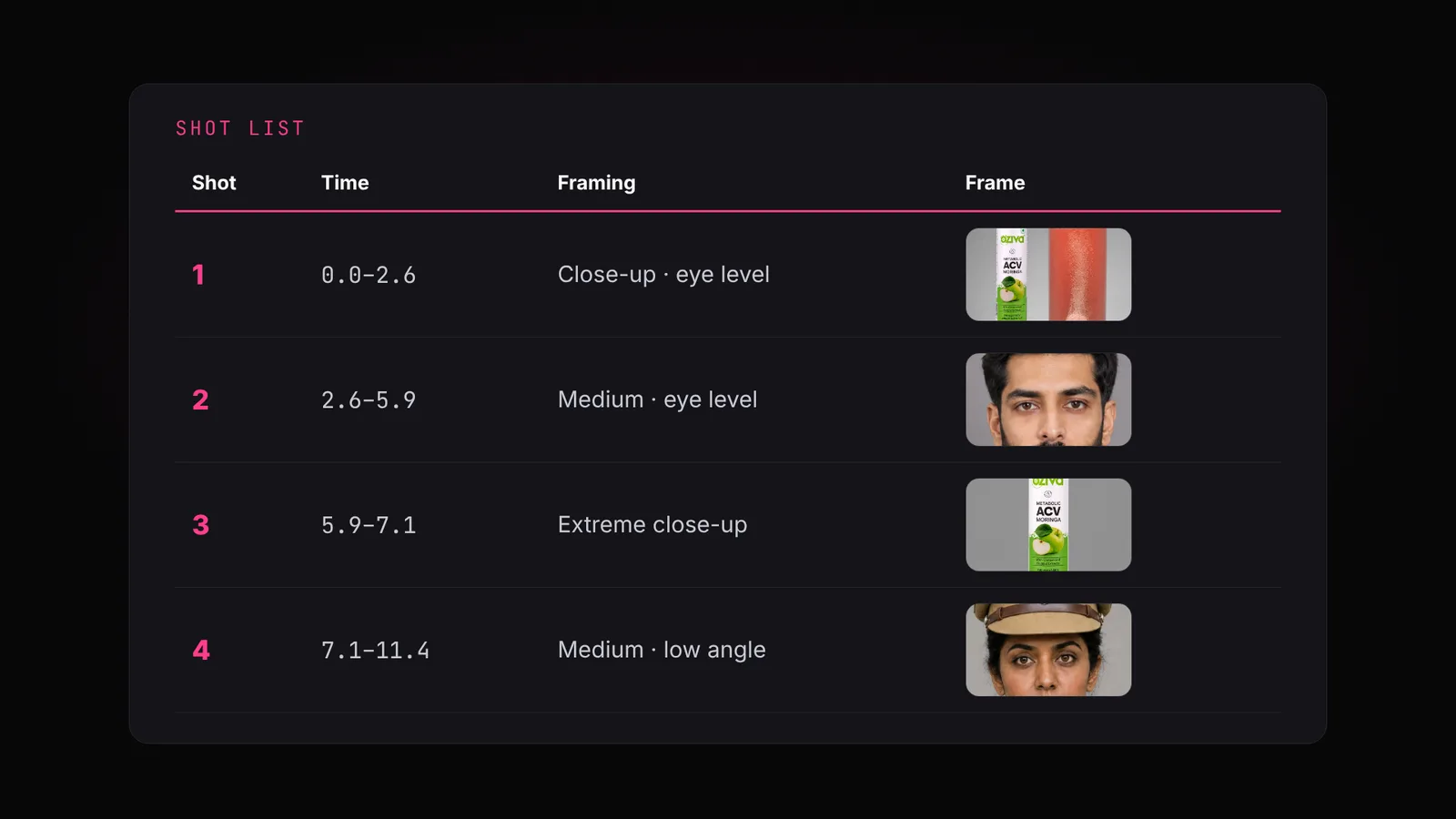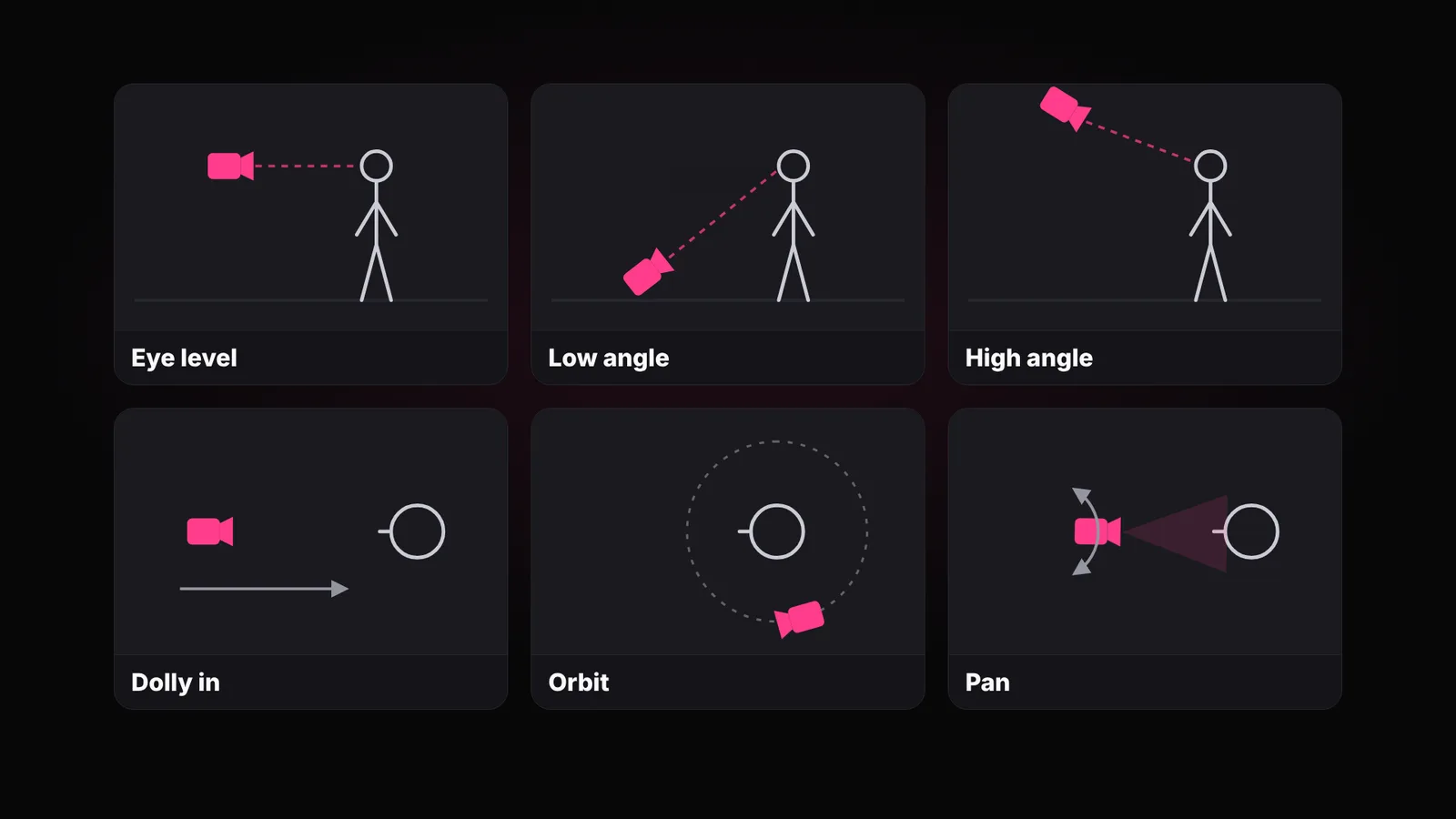
You've read your screenplay. It says medium close, eye level, she leans into the phone. And you still can't see the film.
That's normal. Most people can't picture a film from text, so they generate the video to find out, and pay for every shot they then throw away. The fix is to look at it first, as pictures, for the price of a few images.
Why you shouldn't skip this step+
Two things: a storyboard and an animatic
The storyboard is quick pencil sketches, one panel per shot, nine panels to a grid. It shows you each shot: who's in it, how close we are, where the camera is.
The animatic plays those panels in order, each held for its shot's real length, with the spoken line under it. It shows you the pace. That's where you notice a shot that drags or a moment that's rushed.
Nine panels a grid, then chain
A grid always has nine panels: three by three, one shot each, numbered in order. A longer film gets more grids.
Why nine? It's the sweet spot for one image. Each panel is still big enough to read who's in the shot, how close the camera is and what happens. Push it to 12 or 16 and the panels shrink, and the model starts mixing them up: drifting the layout, merging two shots, drawing the same one twice. Go below nine and you pay for more images to see the same film.
Chaining is what keeps the next grid the same film. Grid 2 is drawn with grid 1 attached, and told to continue from panel 10 with the same characters, the same places and the same style. Grid 3 gets grid 2 attached, and so on. That's how a face drawn in shot 3 is still the same face in shot 25.
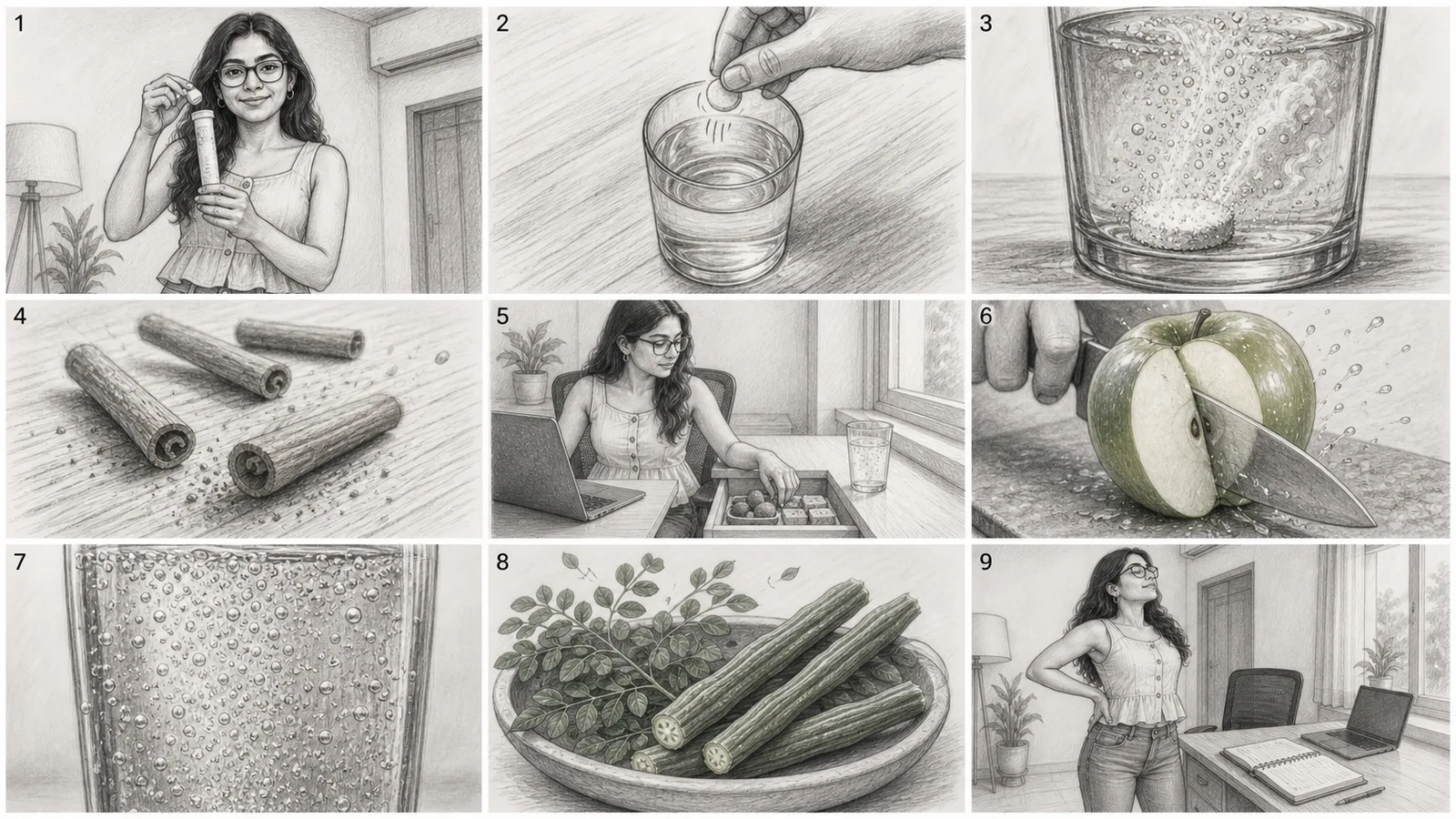
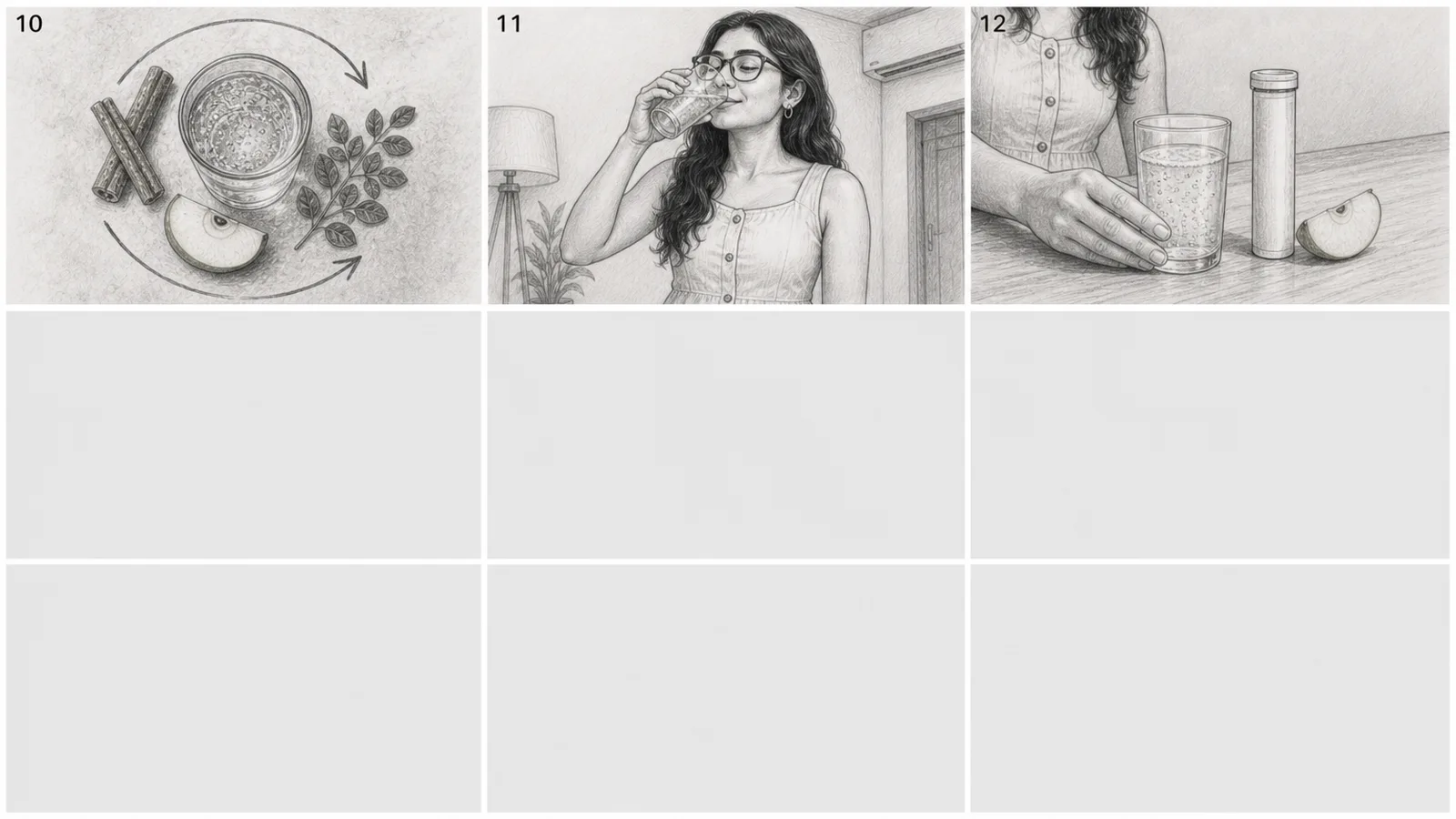
The last grid still has nine cells. If you only need three, the other six stay empty. It looks like a waste, but it keeps every grid the same shape.
Why the same shape every time? Because three things depend on it:
- The animatic finds every shot by position. Shot 12 is always grid 2, top right, so each panel is cut out and timed automatically, with no manual cropping.
- Chaining stays on track. The attached grid shows the model exactly which layout to continue, so grid 2 looks and reads like grid 1.
- Everyone can point at a shot. "Shot 12 should be outside" means one panel to you, your client and OpenDirector. If one grid had seven cells and the next eight, the numbers would stop matching the places.
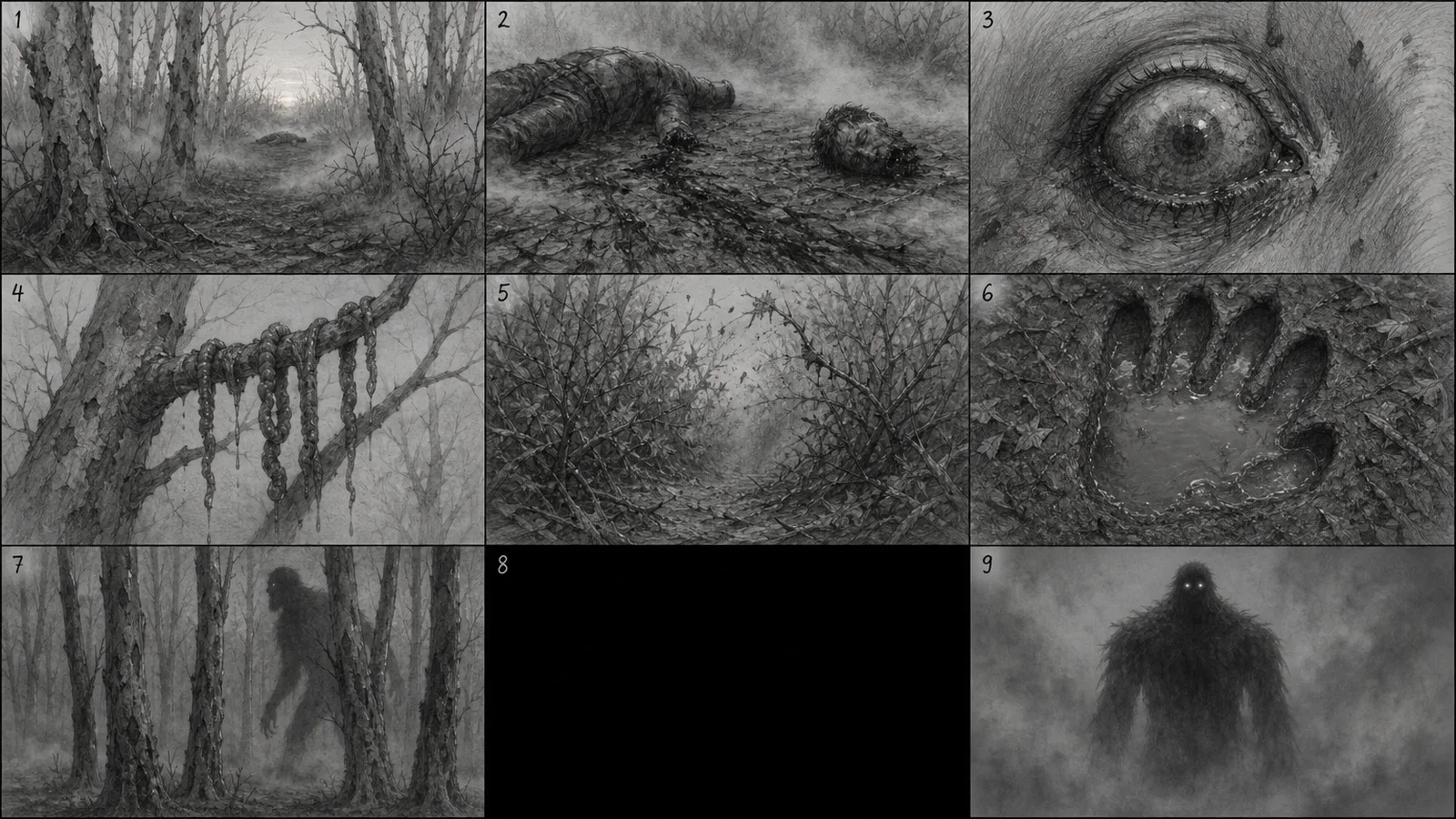
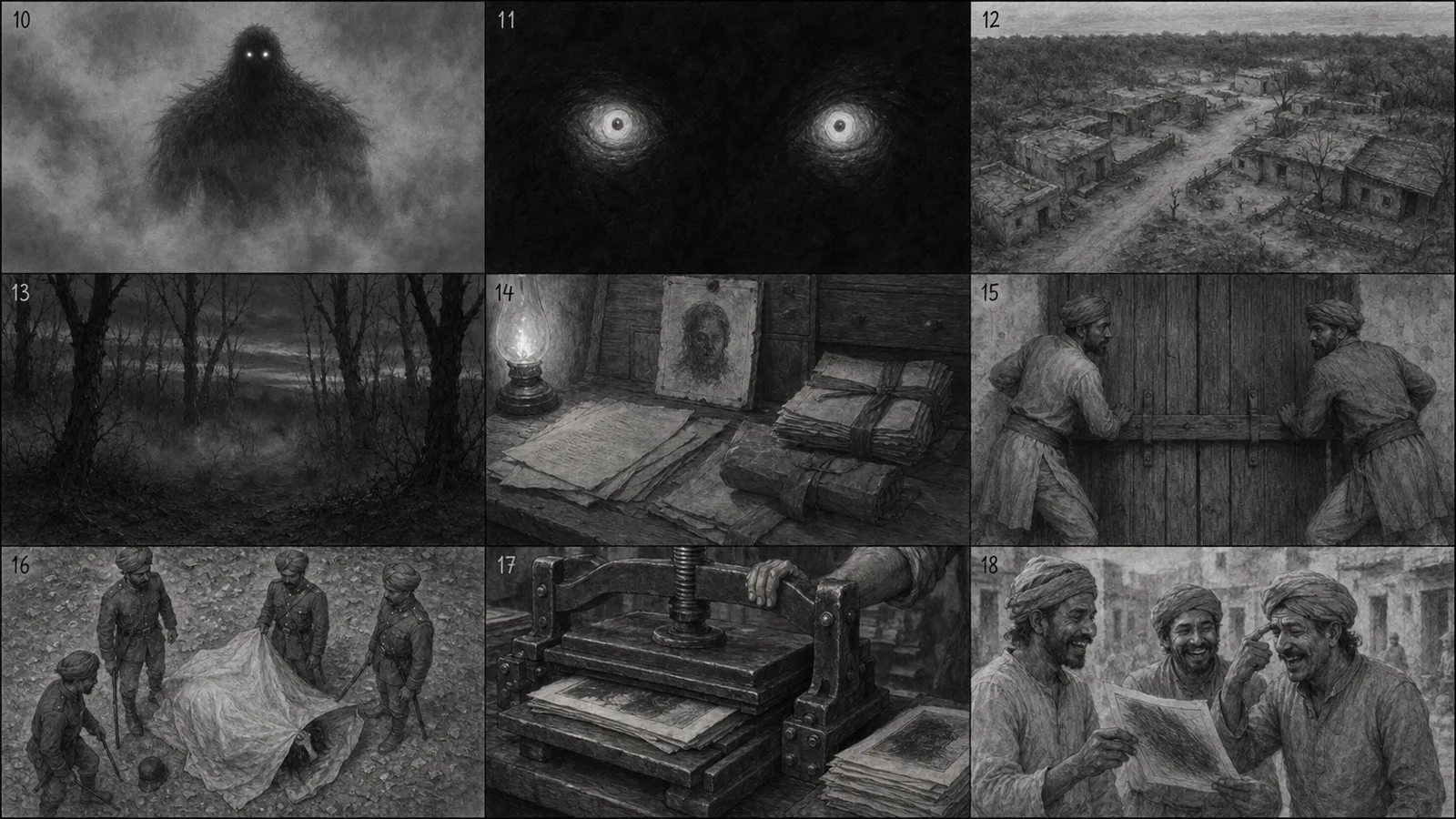
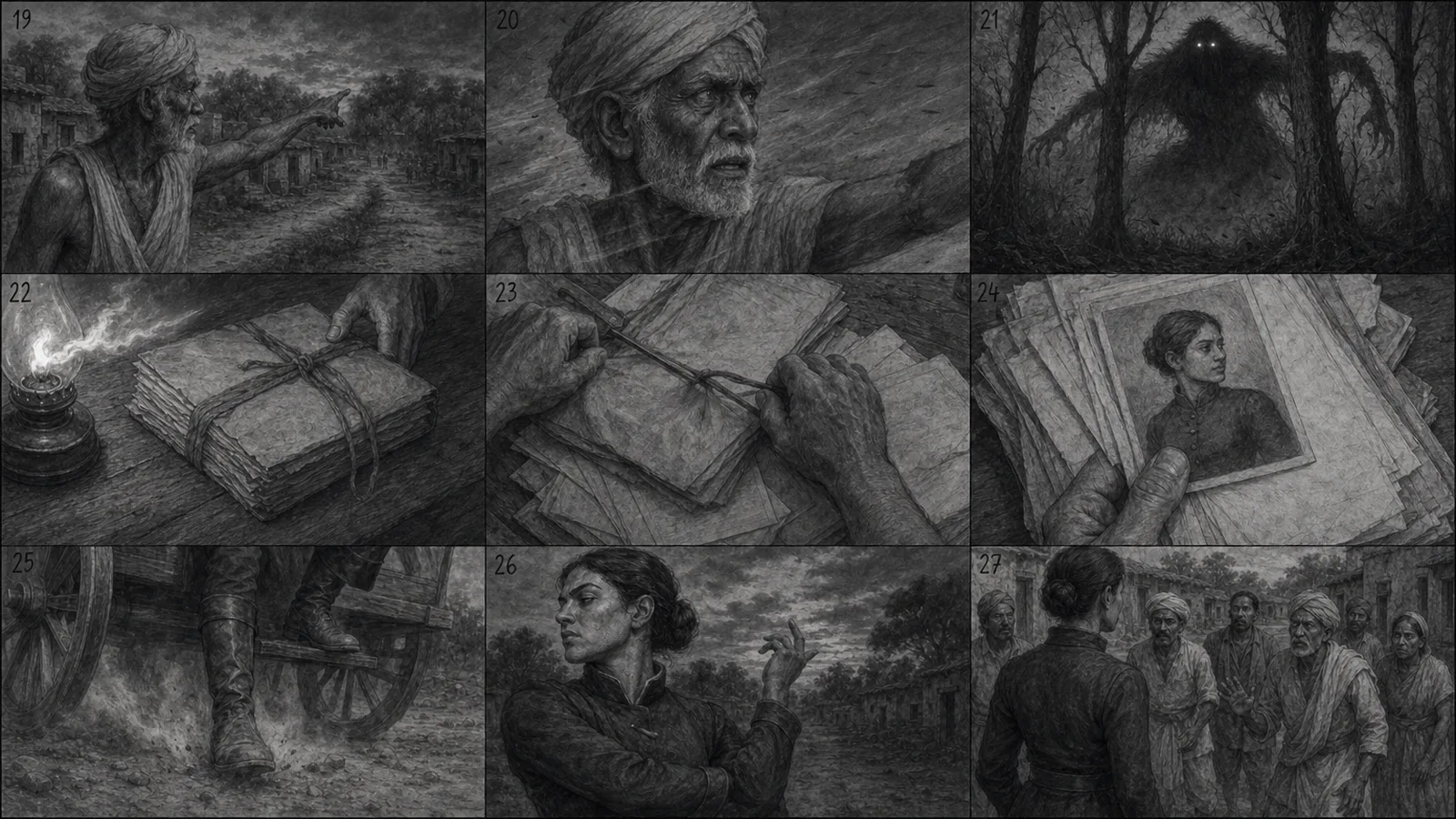
Tap an image to open it full size.
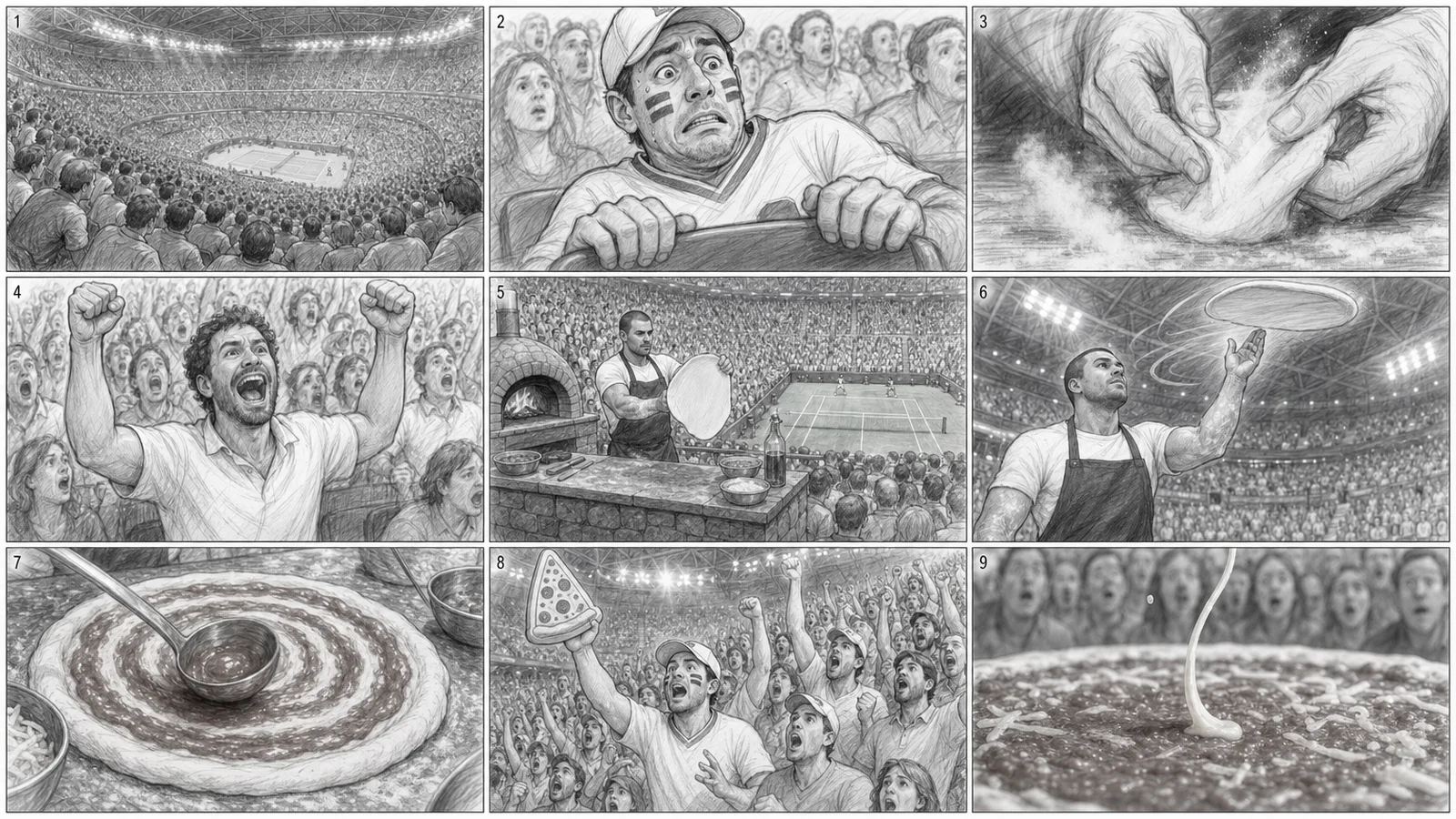
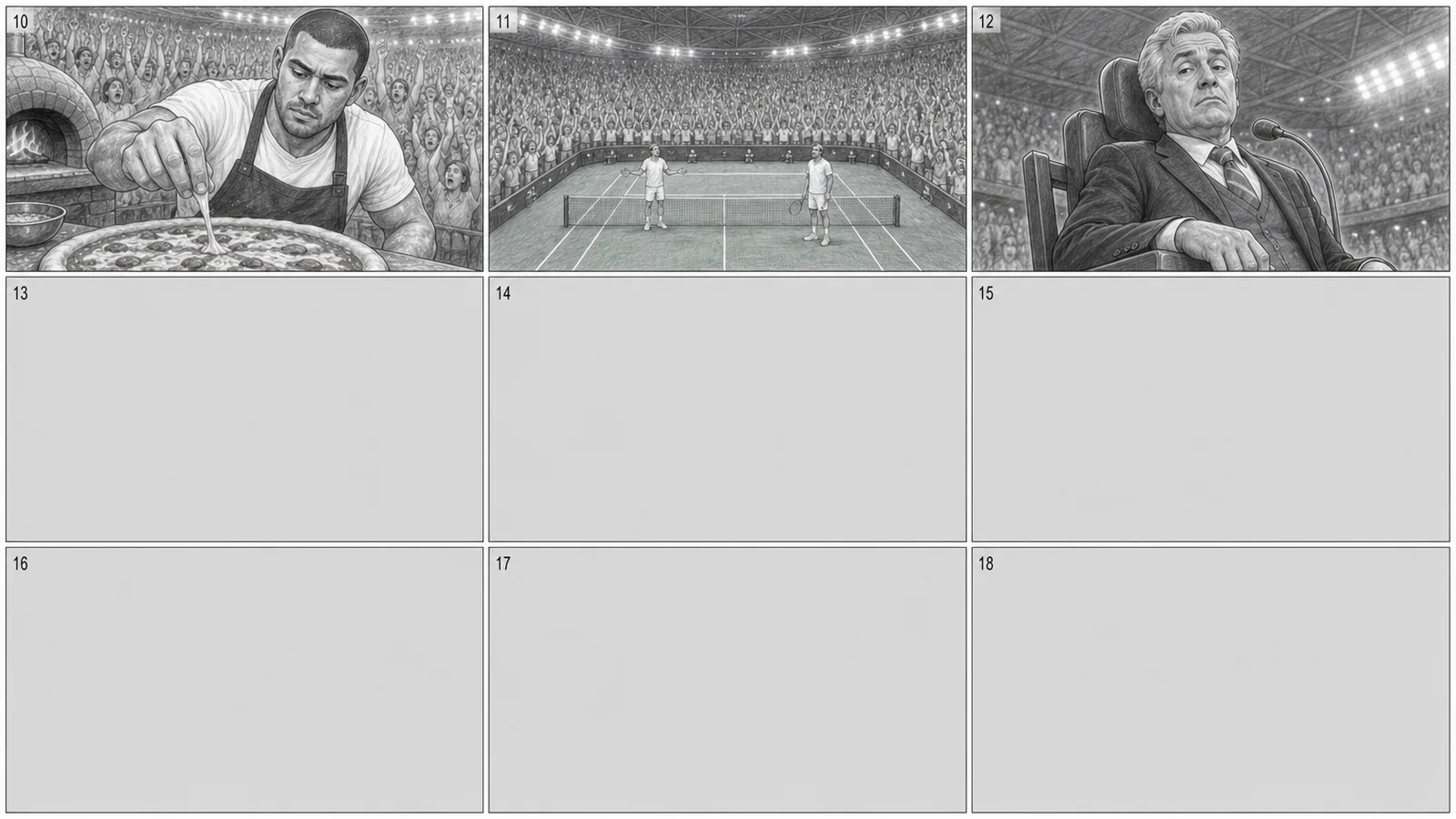
Tap an image to open it full size.
Why a pencil sketch?
A sketch shows exactly what matters at this stage, and nothing else: who's in the shot, how close the camera is, the angle, and what happens next. It's quick to read, and nobody mistakes it for the final look.
Colour and polish pull the conversation to the wrong things: the shade of the wall, whether the face is quite right. Those get decided later, by your character, product and location sheets.
What a storyboard is for, and what it isn't
Judge it on three things: the key frame of each shot, the camera angle and size, and whether the story reads from one panel to the next.
Don't judge it on exact details. A face drifts a little between panels, a label is a squiggle, a hand has an odd finger. That's fine. The storyboard is never used to make the video, so none of those details reach the final film.
Want it photorealistic?
Sketch is the default. If you or a client need to see it closer to the final look, say so before the grids are drawn: type animate, photorealistic. Everything else stays the same (nine panels a grid, chained grids, empty cells), and it's still never used to make the video.
Expect more comments on faces and colour than on shots. Keep the review on the key frames, the angles and the storyline.
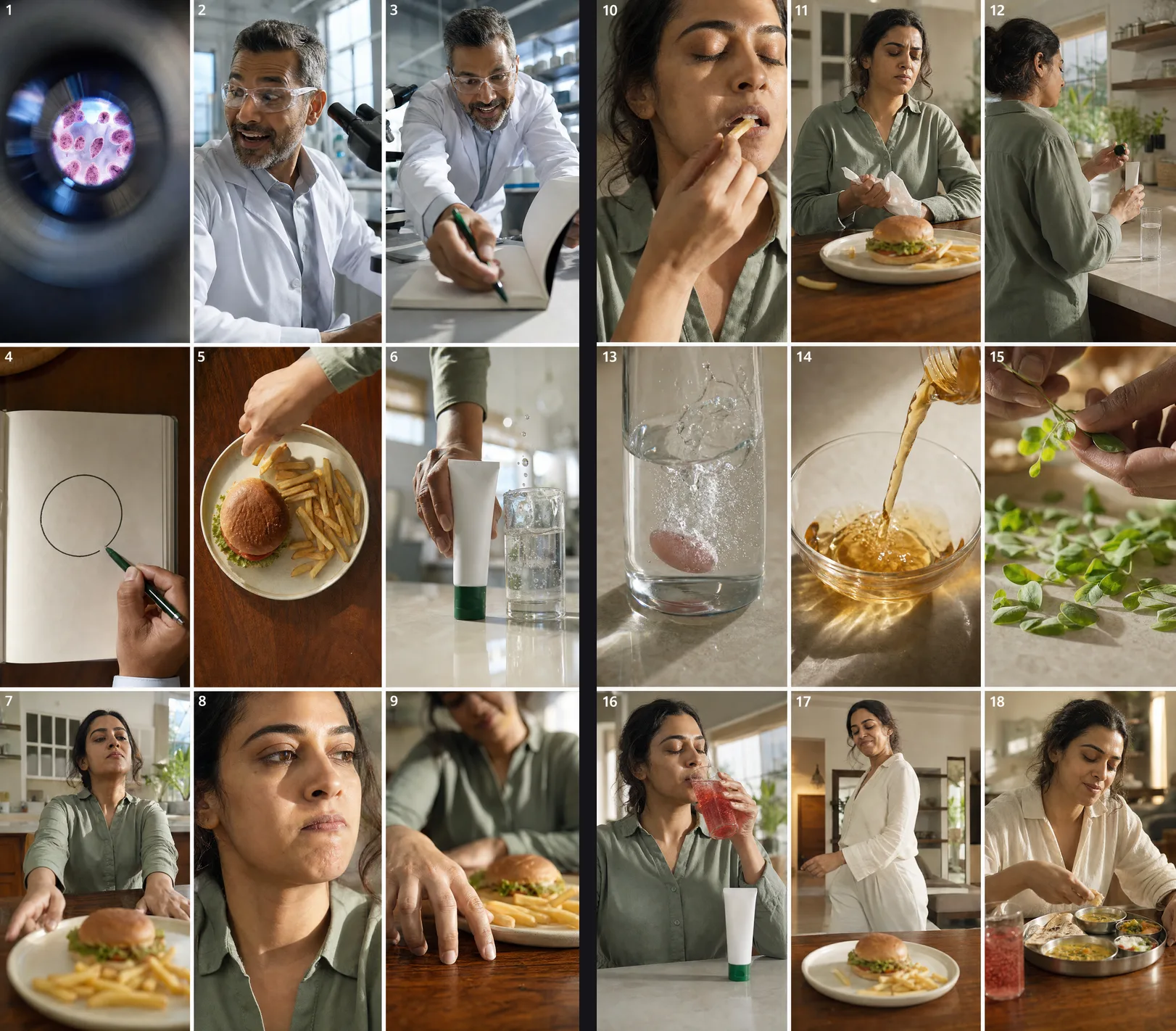
Let OpenDirector draw it
OpenDirector does both from the same chat you wrote the screenplay in. It turns every shot into a panel, draws the grids with GPT Image 2, keeps the same faces and places across grids, and builds the animatic with your real audio, as a link you can share.
- Write the screenplay first. With OpenDirector connected in Claude, type
/opendirector-screenwriterand paste your script (the previous lesson). - In the same chat, type
animate. Pencil sketch is the default. Want it photorealistic? Say so in the same message, before it's drawn. - Say yes to the cost. Each grid is one image of nine shots, so a 30-second ad is usually two or three. The animatic is free.
animate

[Optional, before it's drawn: photorealistic]
What you get back
Two things. The grids, like the ones above. And the animatic: every panel held for its shot's real length, with the timecode, the shot number and the line under it, and the voice playing over it. Here's the animatic for the 12-shot ad above:
Watch it with the sound on and problems jump out that the page hid. In this one, shot 5 shows her reaching into the sweets while she says the cravings stay in the drawer: the picture fights the line. And shot 6 slices an apple while she says apple cider vinegar. Both are cheap to fix now, in the screenplay, and expensive once they're video.
Pacing shows up here too: a panel that holds too long on nothing will feel just as long in the finished video.
Fix it with a note, in the same chat
This is the rule that makes it worth it. When something looks wrong (she should be older, shot 7 should be outside, the middle drags), don't redraw it, and don't edit the table yourself. Type a note in the same chat, like "shot 5: keep the drawer closed", and the screenplay table updates.
Most fixes are clear from the text and the animatic timings, and a second drawing pass costs money. Type animate again only for the grids you really need to see again.
The storyboard is a throwaway. The moment you start generating video, it's set aside: it's never used as a reference for the video model, because a sketch would teach it to draw sketches. Your screenplay goes forward, with your character, product and location sheets.
What to look for
- Does every shot show something different from the one before?
- Is the product shown at the moment it's named?
- Does any shot hold too long with nothing changing?
- Is each person on the same side of the frame across a conversation?
- Does the ending land on the ask, with the face or product in view?
When it reads right, you're done. Your screenplay is locked, and you're all set for video generation.
Doing it by hand
No OpenDirector? Paste this into the GPT Image 2 app or any image tool, one line per shot, nine shots per grid. Describe the characters and place the same way in every grid. For grid 2 and later, attach the previous grid and fill in the line that continues the numbering. Then hold each panel for its shot's length in any editor, with the line as a caption.
A storyboard sheet: a 3 by 3 grid of nine panels, loose greyscale pencil sketch style, like a film storyboard artist's quick drawings. White paper, thin panel borders, no colour.

Each panel shows one shot. Write the shot number small in the top-left corner of each panel. No other text, no speech bubbles.

[Grid 2 and later only: The attached image is the previous grid. Continue the sequence from panel [10], with the same characters, the same places and the same sketch style.]

Characters (draw them the same in every panel): [character description]
Location: [location description]

Panel [1]: [shot size, angle] [what happens]
Panel [2]: [shot size, angle] [what happens]
Panel [3]: [shot size, angle] [what happens]
[... one line per shot, up to nine]

Always draw all nine cells. Leave any unused cells plain grey.
Quick answers
Do I need to visualize every screenplay?
No. For a simple talking-head ad the screenplay is often enough. Visualize anything with several scenes, characters or a big reveal.
How much does it cost?
One image per nine shots. A 30-second ad is usually two or three images. The animatic is free on OpenDirector.
Why always nine panels, even when I need fewer?
So every grid has the same shape. Shot numbers then map to fixed spots, which is what lets the animatic and every later step find each shot. Unused cells just stay empty.
Can I use the storyboard panels to make the video?
No. Sketches teach the model to draw sketches. Use character, product and location sheets as references instead.
What's an animatic?
The storyboard played as a video: each panel held for its shot's real length, with the spoken line under it. It shows you the pace.
Why is it in pencil, not colour?
So nobody mistakes it for the final look. Greyscale keeps everyone on framing, angles and timing.
Can I get a photorealistic storyboard?
Yes. Ask for it before the grids are drawn: type animate, photorealistic. Pencil sketch is the default.
Why do faces change a little between panels?
It's a sketch of the plan, not the final film. Judge the key frames, angles and storyline. The exact look comes from your character, product and location sheets.
Keep going